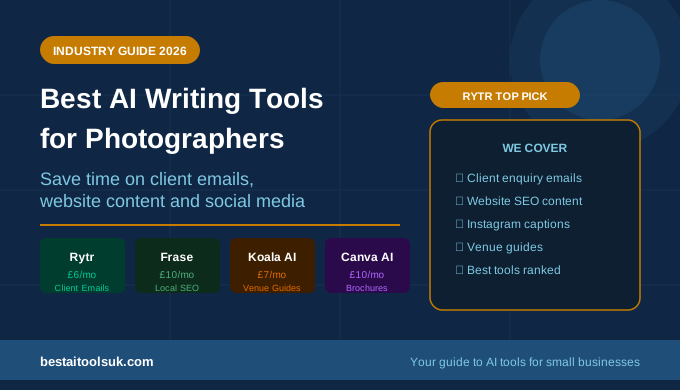
Best AI Writing Tools for Photographers in 2026
The practical guide to AI writing tools that help photographers save time on client communications, website content, social media and business writing
This article contains affiliate links. If you purchase through these links, we may earn a commission at no extra cost to you. This does not affect our assessment — we only recommend tools we genuinely believe deliver value.
Best AI writing tools for photographers are solving a problem that most photographers do not initially associate with their business — the volume of written content that running a photography business requires. Photography is a visual craft, but attracting clients, communicating professionally, and building an online presence all depend significantly on writing. Client enquiry responses, booking confirmation emails, wedding day timelines, portfolio descriptions, location guides, social media captions, blog posts about shoots, and website service copy — all of this written content takes time to produce well and is often neglected in favour of the editing and shooting work that feels more central to the craft. AI writing tools change that.
The honest context is that AI writing tools are a drafting aid rather than a creative replacement. The storytelling, the personality, and the emotional connection that makes great photography marketing compelling still comes from the photographer. What AI tools replace is the blank page problem — the thirty minutes spent staring at an email that needs to be professional, warm, and specific, before finally producing something that feels adequate. AI tools produce the professional first draft in thirty seconds, leaving the photographer to add the personal touches that make it genuine. See our guide to the best AI tools for small business marketing for how these tools fit into a broader photography business marketing strategy.
Best AI Writing Tools for Photographers: Quick Comparison
| Tool | Best For | Starting Price | Free Plan |
| Rytr | Client emails, enquiry responses, social captions | £6/month | Yes — 10,000 chars/month |
| Frase | Photography blog content, SEO articles | £10/month | No — 5-day trial |
| Koala AI | Wedding guides, shoot location content | £7/month | Trial credits |
| Canva AI | Social media graphics, client materials | Free / £10/month | Yes |
| ChatGPT | Portfolio descriptions, bio writing | Free / £16/month | Yes |
Why Photographers Are Using AI Writing Tools in 2026
Photography is one of the most competitive small business markets in the UK. Prospective clients have dozens of photographers to choose from in most locations and genres — and the decision about which photographer to contact is increasingly made based on their online presence, the quality of their written communications, and the strength of their website content, rather than purely on portfolio quality alone.
AI writing tools address the time and energy constraint that prevents most photographers from executing on their business writing consistently. A photographer who has spent a full day shooting a wedding and then needs to respond to three new enquiries, write an Instagram caption, and update their website’s pricing page does not have the mental reserves to write everything well from scratch. AI tools dramatically reduce the cognitive load of business writing — making it faster, less draining, and more consistently professional. For the most cost-effective approach, see our guide to the best free AI tools for small businesses.
The Best AI Writing Tools for Photographers
1. Rytr — Best for Client Communications and Social Media
Rytr is the strongest all-round AI writing tool for photographers who need to produce a variety of client-facing and marketing content quickly. The email templates handle enquiry responses, booking confirmations, pre-shoot guidance emails, and gallery delivery messages professionally and warmly — the tone most photography clients expect. The social media templates produce Instagram captions, Facebook posts, and Pinterest descriptions that communicate the value of each shoot without the photographer needing to find words for every image they post.
At six pounds per month for the Saver plan — with a free plan offering ten thousand characters per month — Rytr is the most accessible AI writing tool for self-employed photographers managing tight business budgets. G2 reviewers consistently highlight the email templates as one of the most time-saving features for service-based businesses with high client communication volumes. For a wedding photographer handling twenty bookings per year, the time saved on client communications alone across the full booking journey is substantial. See our full Rytr review for the complete breakdown of templates and use cases.
Best for: Enquiry response emails, booking confirmations, pre-shoot guidance, gallery delivery messages, Instagram captions, Pinterest descriptions.
Starting price: Free plan available — Saver plan from £6/month. Try Rytr free here.
2. Frase — Best for Photography Website Content and SEO
Frase is the strongest AI tool for photographers who want to attract new clients through Google search rather than relying entirely on referrals or social media algorithms. Prospective clients searching for a wedding photographer in Manchester, a newborn photographer in Bristol, or a commercial photographer in London are high-intent prospects — and photographers with well-optimised website content consistently appear in these searches while those with generic websites do not. Frase’s SERP analysis identifies exactly what your location and genre-specific pages need to cover to rank.
For a photographer investing in their website, Frase makes the difference between a website that generates consistent enquiries and one that is visible only to people who already know to search for you specifically. A well-ranked wedding photography location guide or a well-optimised ‘newborn photographer [city]’ service page can generate regular enquiries for months or years after publication. The Solo plan at ten pounds per month is affordable for most self-employed photographers. See our full Frase review and our guide on how to use Frase for SEO for the complete workflow.
Best for: Location-specific photography pages, genre service pages, photography blog articles, local SEO content, new client acquisition through Google.
Starting price: 5-day free trial — Solo plan from £10/month. Try Frase here.
3. Koala AI — Best for Photography Blog Content
Koala AI is the strongest tool for photographers who want to maintain a regular blog as part of their SEO strategy — publishing venue guides, location roundups, seasonal advice for clients, and behind-the-scenes content that builds search visibility and demonstrates expertise. The five-minute full article generation, with real-time web browsing for current venue information and local details, produces content that is more accurate and more relevant than tools relying solely on training data.
For photographers in the wedding market particularly, venue guides are one of the most powerful SEO content types — prospective couples searching for a specific venue are actively in the planning process and highly likely to book a photographer while researching. Koala AI produces venue guide articles quickly and at a quality that requires only light editing before publication. See our full Koala AI review for the complete assessment of output quality.
Best for: Venue guides, location roundups, seasonal client advice articles, behind-the-scenes blog content, high-volume photography blog production.
Starting price: Trial credits available — plans from £7/month.
4. Canva AI — Best for Social Media Graphics and Client Materials
Canva AI is the strongest tool for photographers who need to produce professional visual content beyond their photography itself — social media graphics, client welcome guides, pricing brochures, and branded marketing materials. The Brand Kit feature stores brand colours, fonts, and logo for consistent application across all non-photographic content, while Magic Write generates social media captions and short marketing copy directly within the design editor.
For photographers who want to present a polished, professional brand across all client touchpoints — not just in their images — Canva AI provides the design tools to achieve that without a graphic design background. The free plan covers basic needs, with Pro at approximately ten pounds per month unlocking the full AI feature set including unlimited Magic Write. See our Canva AI review for the full breakdown of features.
Best for: Client welcome guides, pricing brochures, social media graphics, branded marketing materials, email headers.
Starting price: Free plan available — Pro from £10/month.
5. ChatGPT — Best for Portfolio Descriptions and Bio Writing
ChatGPT is the most flexible tool for photographers who need support writing about themselves and their work — the photographer bio, the about page, portfolio image descriptions, and the personal brand storytelling that distinguishes one photographer from another in a crowded market. These are writing tasks that photographers consistently find difficult because they require objectivity about one’s own work and personality that is hard to maintain.
Asking ChatGPT to draft a photographer bio based on a few bullet points about your background and style, to write portfolio image descriptions from your brief notes about each shoot, or to generate variations of your about page that you can refine — these are tasks where ChatGPT’s flexibility makes it more useful than more structured tools. The free plan is sufficient for most use cases. See our comparison of ChatGPT vs Rytr for a direct breakdown of which tool suits which photography business writing task.
Best for: Photographer bio writing, portfolio image descriptions, about page copy, personal brand storytelling, flexible ad hoc writing.
Starting price: Free plan available — ChatGPT Plus from £16/month.
How Photographers Are Using AI Writing Tools in Practice
Enquiry Response Emails
The most time-sensitive writing task for most photographers is responding to new client enquiries quickly and professionally. Research consistently shows that the photographer who responds to an enquiry within an hour is significantly more likely to book the client than one who responds the next day — and AI tools make it possible to produce a warm, professional, personalised enquiry response in under two minutes rather than twenty. Rytr’s email templates handle this task reliably. See our guide on how to write cold emails that get replies using AI for the principles that transfer directly to photography enquiry responses.
Website Portfolio and Service Pages
Photographers consistently underinvest in the written content on their websites — the service descriptions, the about page, and the location and venue pages that help Google understand what they offer and where they operate. AI tools make updating and improving this content achievable without the cost of a copywriter. Frase ensures the content is optimised for the search terms prospective clients actually use, while Rytr handles the professional copywriting of individual pages. See our guide on how to use AI to write blog posts in half the time for the approach that works best for photography website content.
Social Media Consistency
Photographers who post consistently on Instagram and Pinterest — with captions that tell the story behind each image rather than simply describing what is shown — consistently build larger, more engaged audiences than those who post irregularly or with minimal caption effort. AI writing tools allow photographers to produce a week’s worth of captions in under fifteen minutes, maintaining the consistency that builds an audience without sacrificing shooting or editing time.
The Honest Verdict
The best AI writing tools for photographers in 2026 are Rytr for client communications and social media, Frase for website SEO content, and Koala AI for photography blog production. Together these tools cover the full range of business writing most photographers need to produce, at a combined cost of under twenty-five pounds per month.
The starting point for most photographers is Rytr — the free plan is completely risk-free and the email and social media templates deliver immediate time savings from the first use. For photographers who want to attract new clients through Google search rather than relying on referrals and social media algorithms alone, Frase at ten pounds per month is the most impactful addition. Try Rytr free here and see how much time it saves on your next batch of client enquiry responses and Instagram captions.
⭐ Try Rytr free — no credit card required: Try Rytr free here⭐ Try Frase — attract new photography clients through Google: Try Frase here
Published on bestaitoolsuk.com — Your trusted guide to AI tools for small businesses