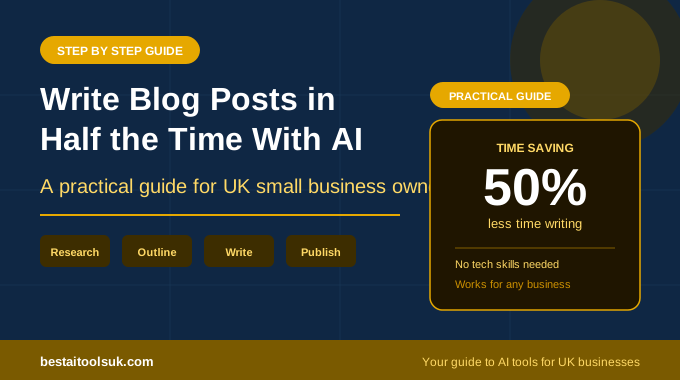
How to Use AI to Write Blog Posts in Half the Time
A practical, step-by-step guide for UK small business owners who want to produce quality content faster
This article contains affiliate links. If you purchase through these links, we may earn a commission at no extra cost to you.
Learning how to use AI to write blog posts is one of the most valuable skills a small business owner can develop in 2026. Content marketing drives organic traffic, builds trust with potential customers, and generates leads around the clock. But the biggest obstacle for most small businesses is the time it takes to produce quality articles consistently. A single well-researched blog post can take three to five hours to write manually. For someone running a business with limited time, that is simply not sustainable at the volume needed to compete.
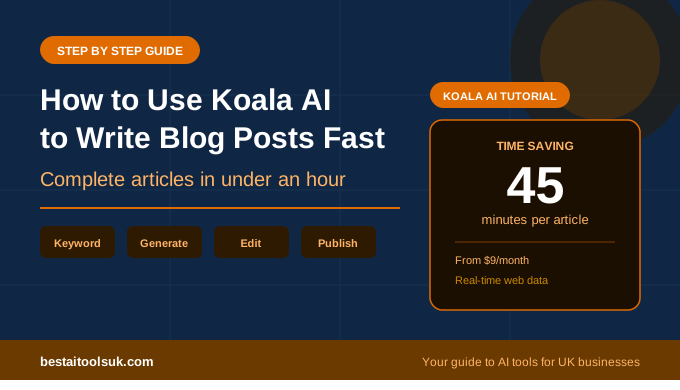
AI writing tools have changed this equation dramatically. A solo business owner can now produce a well-structured, SEO-optimised article in 30 to 45 minutes, including editing and publishing. That is not a theoretical claim. It is a practical reality that thousands of content creators and businesses are achieving every day using the tools and workflow we are about to walk you through.
This guide will show you the exact step-by-step process for using AI to write blog posts efficiently, from choosing your topic to hitting publish. Whether you have never used an AI writing tool before or you have tried one and were disappointed with the results, this workflow will help you get genuinely useful output that your audience will want to read.
Step 1: Choose Your Topic and Target Keyword
Every good blog post starts with knowing exactly what you are writing about and who you are writing it for. This is where most people go wrong with AI writing. They type a vague prompt like “write a blog post about marketing” and wonder why the output is generic and useless.
Before you open any AI tool, spend five minutes identifying your specific topic and target keyword. A target keyword is the exact phrase someone types into Google that you want your article to appear for. The more specific your keyword, the less competition you face and the more likely you are to rank.
Bad keyword: “marketing” — far too broad, millions of pages competing for this.
Better keyword: “email marketing for small businesses” — more specific, clearer intent.
Best keyword: “how to start email marketing for a small business UK” — very specific, clear buying intent, lower competition.
You can find keyword ideas for free using Google itself. Type your broad topic into Google and look at the “People Also Ask” section and the related searches at the bottom of the page. These are real questions and phrases that real people are searching for. Google Search Console, once connected to your site, will also show you which keywords are already bringing impressions to your content.
For more advanced keyword research, free tools like Ubersuggest or the free tier of Ahrefs Webmaster Tools can show you search volume and competition data. But honestly, Google’s own suggestions are more than enough to get started.
Step 2: Choose the Right AI Writing Tool
Not all AI writing tools produce the same quality of output, and choosing the right one for your needs makes a significant difference to how much editing you need to do afterwards.
For blog content specifically, these are the strongest options available in 2026. Koala AI is the best choice if you want a one-click solution that takes a keyword and produces a complete, SEO-optimised article with minimal input. Writesonic is the best all-round option if you want SEO tools, content generation, and research capabilities in one platform. Frase is ideal if you want to start with deep research and competitive analysis before generating content. For a full comparison of all the options, see our guide to the best AI writing tools for small businesses.
If you do not want to pay for a dedicated tool right away, you can use Claude or ChatGPT directly. The output will require more editing and manual SEO work, but it is a viable starting point for producing your first few articles while you decide whether a specialist tool is worth the investment.
Step 3: Write a Detailed Brief for the AI
This is the single most important step in the entire process, and it is where the difference between mediocre AI content and genuinely good AI content is determined. The quality of your output is directly proportional to the quality of your input.
A detailed brief tells the AI exactly what you want. It should include your target keyword, the specific angle or perspective you want the article to take, the audience you are writing for, the approximate word count, the tone you want, and any specific points or sections you want covered.
A weak prompt: “Write an article about AI tools.”
A strong prompt: “Write a 2,000-word article targeting the keyword ‘how to use AI to write blog posts’ for UK small business owners who have limited time and no technical background. Use a practical, step-by-step format. Cover topic selection, tool choice, prompting technique, editing, and SEO optimisation. Tone should be friendly and direct, avoiding jargon. Include specific tool recommendations with honest pros and cons.”
The difference in output quality between these two prompts is enormous. The weak prompt produces generic filler. The strong prompt produces structured, targeted content that is immediately useful. Investing two minutes in writing a proper brief saves you twenty minutes of editing later.
If you are using a specialist tool like Koala AI, much of this briefing is handled automatically through the SERP analysis. But even with these tools, adding specific instructions about your angle and audience improves the output noticeably.
Step 4: Generate Your First Draft
With your keyword chosen and your brief written, it is time to generate the article. If you are using Koala AI, this is literally a one-click process. Enter your keyword, review the suggested outline, adjust any headings you want to change, and click generate. The article will be ready in a few minutes.
If you are using Claude or ChatGPT, paste your detailed brief and let the AI produce the full article. For longer articles, you may get better results by generating it section by section rather than asking for the entire piece at once. This gives you more control over each part and tends to produce more detailed, focused content.
If you are using Writesonic, the AI Article Writer will guide you through a similar process with built-in SEO suggestions and content scoring as you go.
Whichever tool you use, resist the urge to publish the first draft without reviewing it. AI-generated content is a starting point, not a finished product.
Step 5: Edit and Add Your Human Touch
This is where you transform AI-generated content from good to genuinely valuable. Editing an AI draft is faster than writing from scratch, but it is not optional. Here is what to focus on during your editing pass.
Check for Factual Accuracy
AI tools can and do generate incorrect information presented with complete confidence. Any specific statistics, prices, dates, or claims should be verified before publishing. This is especially important for product reviews and comparison articles where your readers are making purchasing decisions based on what you tell them.
Add Your Personal Experience and Opinions
AI cannot share your unique perspective, your experience with a product, or your honest opinion about whether something is worth the money. These are exactly the elements that make content valuable and trustworthy. Add sentences that start with phrases like “in our experience”, “what we found”, or “the honest truth is”. This is what separates your content from every other AI-generated article targeting the same keyword.
Improve the Introduction
AI introductions tend to be generic and slow. Rewrite the first two or three sentences to hook the reader immediately. Address their problem directly, make a specific promise about what the article will deliver, and give them a reason to keep reading. A strong opening sentence makes the difference between someone staying on your page and clicking back to Google.
Cut the Filler
AI writing tools tend to pad their output with unnecessary transitional phrases, redundant explanations, and filler sentences that add words without adding value. Read through the article and delete anything that does not serve the reader. Shorter, tighter content performs better both with readers and with Google.
Check the Flow
Read the article from start to finish and make sure each section leads logically into the next. AI sometimes produces sections that feel disconnected from each other. Add transitional sentences where needed and ensure the overall narrative of the article makes sense.
Step 6: Optimise for SEO Before Publishing
If you are using a tool like Koala AI or Writesonic, much of the SEO work is already done. But regardless of which tool you use, run through this quick checklist before you hit publish.
Make sure your target keyword appears in the title, the first paragraph, at least one H2 heading, and the meta description. Check that your URL slug contains the keyword and is clean and readable. Add internal links to other relevant articles on your site. Add external links to authoritative sources or the tools you are recommending. Write a compelling meta description under 160 characters that includes your keyword and gives searchers a reason to click.
If you are using WordPress with Rank Math SEO installed, the plugin will score your article against these factors in real time and tell you exactly what needs fixing. Aim for a score above 70 before publishing.
Step 7: Publish and Move On
This is the step where most people stall. They tweak the article endlessly, second-guess their word choices, and delay publishing because it does not feel perfect. Stop doing this. An imperfect article published today will start ranking and attracting traffic weeks before a perfect article published next month.
Once you have completed your editing pass, checked the SEO basics, and reviewed the article for factual accuracy, hit publish. Then immediately start planning your next article. Consistency is what builds traffic over time, not perfection on any single post.
The entire process from keyword selection to published article should take 30 to 45 minutes once you have done it a few times. Your first article might take an hour or two as you learn the tools and develop your workflow. By your fifth article, you will have the process down to a routine.
How Much Time Does AI Actually Save?
To put real numbers on it: writing a 2,000-word blog post manually, including research, typically takes three to five hours. Using AI to write blog posts with the workflow described above takes 30 to 45 minutes for the same length and quality, including editing time. That is a time saving of roughly 80%.
For a small business publishing three articles per week, that is the difference between 9 to 15 hours of writing time and 1.5 to 2.5 hours. Those saved hours can go back into running your business, serving customers, or simply having your evenings free.
The financial maths is equally compelling. If your time is worth £30 per hour, producing three articles manually costs you £270 to £450 per week in time. AI reduces that to £45 to £75 per week, plus the cost of your AI tool subscription which typically ranges from £8 to £40 per month. The return on investment is immediate and significant.
Common Mistakes to Avoid When Using AI to Write Blog Posts
Publishing without editing. AI content is a first draft, not a finished article. Every piece needs a human review pass for accuracy, tone, and your unique perspective. Skipping this step results in generic content that neither readers nor Google will value.
Using vague prompts. The more specific your instructions to the AI, the better the output. Invest two minutes in writing a detailed brief and you will save twenty minutes in editing.
Ignoring SEO. An article that nobody can find on Google is an article that generates zero traffic and zero revenue. Always write with a target keyword in mind and optimise accordingly.
Trying to sound like a robot. Some people worry that AI content needs to sound “professional” and strip out all personality during editing. The opposite is true. Add your voice, your opinions, and your experience. That is what makes readers trust you and come back.
Chasing perfection instead of consistency. Publishing three good articles per week beats publishing one perfect article per month. Volume and consistency are what build traffic. Perfectionism is what kills content businesses before they start.
Start Writing Your First AI-Assisted Blog Post Today
Learning how to use AI to write blog posts is not difficult, but it does require the right approach. Choose a specific keyword, use a capable AI tool, write a detailed brief, generate your draft, edit it with your human expertise, optimise for SEO, and publish. Repeat this process consistently and your content library will grow into a genuine traffic and revenue asset for your business.
The tools are affordable, the learning curve is short, and the time savings are real. Whether you start with a free trial of Koala AI, the free plan on Writesonic, or simply use Claude to generate your first draft, the most important thing is to start. Your first article will not be your best, but it will be infinitely more valuable than the article you never wrote.
Published on bestaitoolsuk.com — Your trusted guide to AI tools for UK businesses