How to Write a Business Proposal Using Rytr: A Step by Step Guide
Save hours on proposal writing and win more clients using Rytr AI writing tool
This article contains affiliate links. If you purchase through these links, we may earn a commission at no extra cost to you.
Learning how to write a business proposal using Rytr is one of the most practical applications of AI writing tools for small business owners today. A well-written proposal can win a client worth thousands of pounds. A poorly written one — or one that never gets written because it takes too long — means lost business. Rytr solves this problem by helping you produce professional, compelling proposals in a fraction of the time it would normally take.
Most small business owners find proposal writing genuinely difficult. It requires you to simultaneously understand the client’s needs, articulate your solution clearly, justify your pricing, and do all of this in a persuasive and professional tone. That is a lot to manage when you are also running a business. AI writing tools like Rytr handle the structural and formulaic elements of proposal writing so you can focus your energy on the parts that require your specific expertise.
This step by step guide shows you exactly how to use Rytr to write a business proposal that wins clients — from structuring the document to writing each section to polishing the final output. If you have not tried Rytr yet, their free plan gives you 10,000 characters per month at no cost. See our full Rytr review for a complete breakdown of the platform.
What Makes a Winning Business Proposal
Before using any AI tool to write a proposal, it helps to understand what separates winning proposals from losing ones. The most common reasons proposals fail are not about price — they are about communication.
Winning proposals do four things clearly and concisely. They demonstrate that you understand the client’s specific problem. They explain your solution in concrete terms. They justify why your business is the right choice over alternatives. And they make the next step obvious and easy. A proposal that does all four of these things in a professional, readable format will win business even when it is not the cheapest option.
Rytr is particularly well suited to proposal writing because these four elements follow a predictable structure. AI handles predictable structures exceptionally well — which is why the output for proposals is consistently more useful than AI output for more creative or unpredictable writing tasks.
Setting Up Rytr for Proposal Writing
Step 1 — Log Into Rytr and Choose Your Use Case
Go to rytr.me and log into your account. From the left sidebar, look for the Business Pitch or Proposal use case. If you cannot find a specific proposal template, the Email or Business Pitch use cases work well as starting points for different sections of your proposal.
For the cover letter or introductory section of your proposal, use the Business Pitch use case. For the pricing and scope section, use the Email use case with a formal tone. For testimonials or case study sections, use the Testimonial use case to generate placeholder content you can replace with real examples.
Step 2 — Set Your Tone of Voice
For business proposals, select either Formal or Professional as your tone of voice. The tone you choose depends on the client and industry. A proposal for a corporate client or professional services firm should use Formal. A proposal for a creative business, startup, or smaller company can use Professional which is slightly warmer while still being polished.
Getting the tone right is important. A proposal that sounds too casual for a corporate client loses credibility. A proposal that sounds too stiff for a creative agency can feel like a poor cultural fit. Take 30 seconds to think about your client before selecting your tone.
Writing Each Section of Your Proposal With Rytr
Section 1 — The Executive Summary
The executive summary is the most important section of your proposal. Many decision makers read only this section before deciding whether to read further. It needs to capture the client’s problem, your solution, and your key differentiator in three to four concise paragraphs.
Use Rytr’s Business Pitch use case for this section. In the brief field write something like: Executive summary for a business proposal to [client name] for [service type]. The client needs [specific problem]. Our solution is [your approach]. Our key advantage is [your differentiator].
The more specific your brief, the better the output. Rytr will generate two or three variations — read all of them and combine the strongest elements from each. Then edit to add your specific details, real figures, and genuine insight about the client’s situation.
Section 2 — Understanding of Requirements
This section demonstrates that you have listened to the client and understood their specific needs. It is one of the most trust-building sections in any proposal because clients can immediately tell whether a supplier actually understood their brief or just sent a generic document.
Use Rytr’s Email use case with a formal tone. Your brief should summarise what the client told you about their needs, challenges, and goals. Rytr will produce a structured paragraph that you can personalise with specific details from your conversations with the client.
Always add at least two or three specific details that only you could know from your actual conversations with this client. This signals that the proposal was written specifically for them rather than copied from a template.
Section 3 — Your Proposed Solution
This is where you explain exactly what you will deliver, how you will deliver it, and over what timeframe. Clarity is everything in this section — vague proposals lose to specific ones every time.
Use Rytr’s Business Pitch use case. Your brief should include the specific deliverables, your methodology or approach, the timeline, and any key milestones. Rytr will structure this into a professional format that covers all the essential elements.
After generating the Rytr output, go through and replace any generic language with specific details. Replace phrases like within a reasonable timeframe with actual dates. Replace we will work to improve your results with specific metrics you are targeting.
Section 4 — Why Choose Us
This section needs to answer the client’s most important unspoken question — why should I choose you over your competitors. The most effective approaches are specific case studies, measurable results from previous clients, or a genuinely distinctive capability that competitors do not have.
Use Rytr’s Testimonial or Business Pitch use case. Brief it with your actual credentials, relevant experience, and the most compelling reasons a client should choose your business. Edit the output to replace placeholder statements with real examples, real client names where permitted, and real results with numbers.
Section 5 — Pricing and Investment
How you present your pricing matters almost as much as the price itself. Framing your fee as an investment with a clear return rather than a cost makes a significant difference to how clients perceive value.
Use Rytr’s Email use case with a persuasive tone. Brief it with your pricing tiers or package options and the key value delivered at each level. Rytr will help you frame the pricing in a way that emphasises value rather than cost.
Always present pricing in the context of return on investment where possible. A £2,000 website redesign is easier to approve when framed as an investment that will generate ten new enquiries per month than as a cost of £2,000.
Section 6 — Next Steps
A proposal without a clear call to action loses momentum. The final section should make the next step completely obvious — what should the client do, how should they do it, and by when.
Use Rytr’s Call to Action or Email use case. Brief it with the specific action you want the client to take, the deadline if relevant, and your contact details. Keep this section short and direct — one or two paragraphs maximum.
Pulling the Proposal Together
Editing and Personalising the Output
Once you have generated all six sections using Rytr, the editing phase is where the proposal goes from good to genuinely compelling. Read through the entire document as if you were the client and ask yourself whether it feels personal, specific, and credible.
Add real details wherever Rytr has used placeholder language. Replace any generic phrases with specific references to conversations you have had with this client. Check that the tone is consistent throughout — sometimes combining output from different Rytr sessions produces slight tonal inconsistencies that are easy to smooth out with a quick edit.
Formatting for Professionalism
A well-written proposal in a poorly formatted document loses credibility. Use a clean document template with your logo, consistent fonts, and clear section headings. Google Docs or Microsoft Word both work well for this. If you want to step up your proposal presentation, Canva has excellent free proposal templates that can turn a text document into a visually impressive PDF.
How Much Time Does This Save?
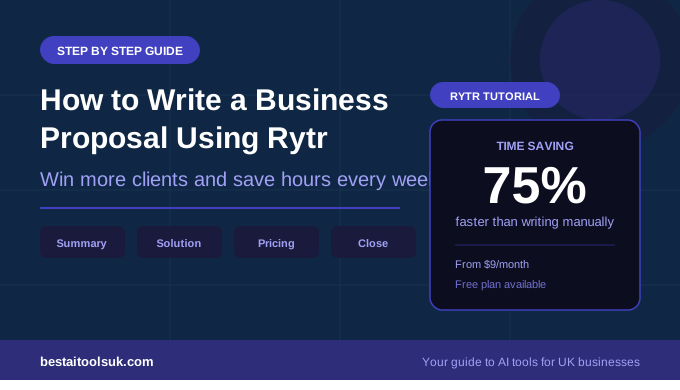
A typical business proposal for a small business service takes between three and six hours to write from scratch. Using Rytr for the initial draft of each section and then editing reduces this to between 45 minutes and 90 minutes for a thorough, professional proposal.
For a small business owner sending five proposals per month, that represents between ten and twenty hours of time saved every month. At Rytr’s Saver plan price of $9 per month — approximately £7 — the return on investment is immediate and significant regardless of whether those proposals win or lose. Looking for more ways to use Rytr? See our guide on how to use Rytr to write emails faster.
⭐ Ready to write better proposals in less time? Start with Rytr’s free plan — no credit card needed. Try Rytr free here → rytr.me See our complete guide to the best AI writing tools for small businesses.