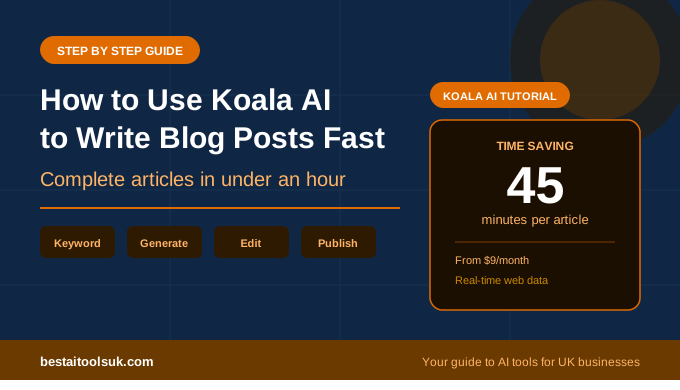
How to Use Koala AI to Write Blog Posts Fast: A Step by Step Guide
The practical guide to using Koala AI to produce SEO-optimised blog posts in a fraction of the time — for UK small businesses and bloggers
This article contains affiliate links. If you purchase through these links, we may earn a commission at no extra cost to you.
Learning how to use Koala AI to write blog posts is one of the fastest ways to increase your content output without proportionally increasing the time you spend writing. At $9 per month Koala AI is one of the most affordable AI writing tools available, and its ability to generate a complete, well-structured blog post from a single keyword in a few minutes is genuinely impressive — not in a demo environment, but in real-world use on real topics.
The honest caveat upfront: Koala AI does not replace your expertise or your editing. What it does is eliminate the most time-consuming parts of blog writing — the blank page, the outline, the first draft — so you spend your time refining and personalising rather than starting from nothing. For bloggers and small business owners producing content regularly, that shift makes a significant practical difference to how much you can publish.
This guide walks you through the complete Koala AI workflow from setting up your account to publishing a finished post. For a broader assessment of the platform see our full Koala AI review, and for a comparison of how it stacks up against the best SEO-focused alternative see our Frase vs Koala AI comparison.
How to Use Koala AI to Write Blog Posts: The Complete Workflow
Before diving into the steps it helps to understand what Koala AI actually does. Unlike a general AI assistant where you have a back-and-forth conversation to build content gradually, Koala AI takes your keyword, analyses current search results and web data, and generates a complete structured article in one go. The whole process from entering your keyword to having a finished first draft takes between two and five minutes depending on article length.
That speed is both the biggest advantage and the thing that requires the most discipline to use well. The temptation is to generate articles and publish them without editing. Resist that. The articles Koala produces are good — well structured, accurate, properly formatted — but they are generic in voice. Your editing is what makes them worth reading and worth ranking.
Step 1 — Create Your Koala AI Account
Go to koala.sh and sign up for an account. The entry plan starts at $9 per month and gives you enough credits to produce around 15 to 20 full articles per month depending on length — more than enough for most small businesses and bloggers starting out with AI-assisted content.
Once logged in you will see the main dashboard. The primary tool you will use is KoalaWriter — this is the article generation feature. There is also KoalaChat which works more like a general AI assistant, but for blog post generation KoalaWriter is where you want to be.
Step 2 — Enter Your Target Keyword
Click into KoalaWriter and enter your target keyword in the search field. This is the phrase you want your article to rank for on Google. Be specific — a keyword like ‘best AI writing tools for small businesses UK’ will produce a more focused and useful article than a vague term like ‘AI tools’.
Good keyword examples for a small business blog:
- how to write a business proposal template
- best email marketing tools for small businesses
- how to use AI to save time in business
- free social media scheduling tools for small businesses
- how to improve your Google ranking as a small business
If you are not sure which keywords to target, this is where combining Koala AI with Frase becomes powerful. Use Frase to identify the right keyword and understand what is needed to rank, then use Koala AI to generate the first draft. See our guide on how to use Frase SEO to rank on Google for that workflow.
Step 3 — Configure Your Article Settings
Before generating, Koala AI gives you several settings to configure. These take about 30 seconds to set and make a meaningful difference to the quality of the output:
Real-time data — toggle this on. This tells Koala AI to pull current information from the web rather than relying purely on its training data. For topics where accuracy and recency matter — which is most business topics — real-time data produces noticeably better results.
Article type — for standard blog posts select Informational or How-To depending on your topic. Informational works well for comparison posts, roundups and guides. How-To is better suited to step by step tutorials like this one.
Target audience — be specific here. Rather than leaving it as general, type something like ‘UK small business owners with limited technical knowledge’ or ‘bloggers looking to increase content output’. The more specific your audience definition, the more relevant the output.
Tone of voice — select the tone that matches your blog. If you have not established a specific tone yet, Informative works well as a neutral starting point. Once you know your brand voice better you can adjust this to match.
Article length — Koala AI lets you set a target word count. Use the average word count of the top ranking articles for your keyword as your guide. For most competitive keywords that is between 1,500 and 2,500 words. Setting a target that is significantly shorter than what is ranking makes it harder to compete in search.
Step 4 — Generate Your Article
Click Generate and Koala AI will produce your article. Depending on length this takes between one and five minutes. While it generates you can see the outline appearing in real time — if the structure looks wrong at this stage you can stop the generation and adjust your settings before restarting.
Once generation is complete you have a full article with an introduction, multiple H2 and H3 subheadings, body content throughout, and a conclusion. The structure is almost always solid — logical, well organised, covering the key points a reader would expect. The content is accurate and the language is readable. What it is not, at this stage, is distinctively yours.
Step 5 — Edit and Personalise the Output
This is the step most people skip and the reason most AI-generated content fails to perform. Editing is not optional — it is the difference between content that ranks and converts and content that sits unread.
Here is what to focus on when editing Koala AI output:
Add your own voice — read through each section and rewrite any paragraph that sounds generic. Add specific examples, personal observations, and direct opinions. If you are writing about AI writing tools for small businesses, mention specific scenarios your audience will recognise. The more the content sounds like a real person with genuine experience, the better it performs.
Add specific details — Koala AI sometimes produces content that is accurate but vague. Strengthen it with specific numbers, named tools, real examples, and concrete recommendations. Change ‘this can save you time’ to ‘this cut my proposal writing from two hours to twenty minutes’.
Check the introduction — AI introductions tend to be the weakest part of the output. They often open with a broad statement about how important the topic is before getting to the point. Rewrite the first paragraph to hook the reader immediately with something specific, surprising, or directly useful.
Check the conclusion — AI conclusions tend to simply summarise what was just said. Replace the conclusion with a clear recommendation or call to action that gives the reader an obvious next step.
Step 6 — Add Your Internal Links and Affiliate Links
Before publishing, go through the article and add your internal links to related posts on your site. This keeps readers on your site longer and tells Google which of your pages are related and important.
Add your affiliate links wherever you mention specific tools. Keep them natural — link the tool name on its first mention in each section rather than adding affiliate links to every single mention throughout the article. Over-linking looks spammy to readers and to Google.
Step 7 — Optimise for SEO Before Publishing
Run through these SEO basics before hitting publish:
- Make sure your target keyword appears in the first paragraph naturally
- Check that at least one H2 subheading contains your target keyword
- Set your SEO title and meta description in RankMath — both should contain your keyword
- Make sure your permalink is clean and contains your keyword
- Check your RankMath score is above 70 before publishing
If you use Frase alongside Koala AI, paste your generated article into Frase at this point and run it through the content score. This tells you which topics the top ranking articles cover that your Koala AI draft might have missed, and gives you specific guidance on what to add to improve your chances of ranking.
How Long Does a Koala AI Article Actually Take?
Here is a realistic time breakdown for a complete Koala AI blog post workflow from keyword to published post:
- Configure settings and generate article — 5 minutes
- Read through and identify sections needing editing — 5 minutes
- Edit, personalise and strengthen the content — 20 to 30 minutes
- Add internal links and affiliate links — 5 minutes
- SEO settings in RankMath — 5 minutes
- Final read through — 5 minutes
Total: approximately 45 minutes for a complete, publish-ready 1,500 to 2,000 word article. Compare that to writing from scratch which typically takes two to four hours for the same length and quality, and the value of Koala AI becomes immediately obvious.
Getting the Best Results From Koala AI
Be Specific With Your Keywords
The single biggest factor in Koala AI output quality is keyword specificity. A specific, long-tail keyword like ‘how to use AI writing tools for small business email marketing’ produces a much more focused and useful article than a broad term like ‘AI writing tools’. Broad keywords produce broad articles — specific keywords produce specific, genuinely useful content.
Always Use Real-Time Data
The real-time web data feature is one of Koala AI’s most valuable capabilities and it should always be turned on. Without it, Koala generates content based purely on training data which may be outdated for fast-moving topics like AI tools. With it, the content reflects current information which is more accurate, more useful to readers, and more likely to be seen as fresh by Google.
Treat the Output as a First Draft Not a Finished Article
The bloggers who get the best results from Koala AI are the ones who treat it as a writing assistant rather than a replacement writer. The AI handles the structure, the research, and the first draft. You handle the voice, the specific examples, and the expert insight. That division of labour produces content that is both efficient to create and genuinely worth reading.
Combine With Frase for Maximum SEO Performance
Koala AI generates content fast but it does not give you the SERP analysis that tells you whether that content has a realistic chance of ranking. Combining Koala AI for generation with Frase for keyword research and content optimisation gives you both speed and SEO intelligence. The combined cost is under $22 per month and the results are significantly better than either tool alone. See our Frase vs Koala AI comparison for the detailed breakdown of how the two tools work together.
Is Koala AI Worth It for Small Businesses?
At $9 per month the question is almost irrelevant — the cost of a single cup of coffee per week. The more useful question is whether Koala AI saves you enough time to justify the small investment in your workflow. For any small business or blogger producing more than two pieces of content per month the answer is clearly yes.
The 45 minute workflow described in this guide versus the two to four hours of writing from scratch represents a time saving of at least an hour per article. If you produce four articles per month that is four hours returned to you every single month from a $9 investment. The return on investment is immediate and obvious from the first article you produce. See our full guide to the best AI writing tools for bloggers.
⭐ Ready to cut your blog writing time in half? Koala AI produces complete SEO-optimised articles in minutes from a single keyword. Try Koala AI here → koala.sh Want to make sure your Koala AI articles rank on Google? Add Frase for SEO intelligence. Try Frase here → frase.io