How to Use AI to Write Social Media Posts in Minutes
The practical guide to using AI writing tools to produce consistent, professional social media content without spending hours every week
This article contains affiliate links. If you purchase through these links, we may earn a commission at no extra cost to you. This does not affect our assessment — we only recommend tools we genuinely believe deliver value.
Using AI to write social media posts is one of the most immediate and measurable time savings available to small businesses in 2026. Social media is one of those tasks that every business owner knows they should be doing consistently, that most do inconsistently, and that the writing friction is usually the primary reason why. AI writing tools remove that friction almost entirely — reducing a task that takes 45 to 60 minutes per week to one that takes 5 to 10 minutes. See our guide on how to save 10 hours a week using AI writing tools.
The honest starting point is that AI-generated social media posts need editing before they are published. The structural work — the hook, the body, the call to action — is handled well by AI tools. The specific voice, the topical references, and the personal touches that make social content genuinely engaging still require human input. But the blank page problem that causes most business owners to procrastinate on social media disappears completely when you have AI generating strong first drafts in seconds.
This guide shows you exactly how to use AI writing tools to produce social media content for LinkedIn, Instagram, Facebook, and Twitter in a fraction of the time it currently takes.
How to Use AI to Write Social Media Posts: The Complete Workflow
Before diving into platform-specific guidance, it helps to understand the general workflow that works across all social platforms. The AI handles structure and copy. You handle personalisation and accuracy. The whole process for a week of social content should take under ten minutes once you are comfortable with the workflow.
The most effective approach is batch creation — generating all your social content for the week in one short session rather than writing individual posts each day. This is more efficient, produces more consistent content across the week, and eliminates the daily decision fatigue that causes social media to fall off the priority list.
Step by Step: Using Rytr for Social Media Posts
Step 1 — Open Rytr and Select Your Platform
Go to rytr.me and log into your account. In the Generate tab, click the use case dropdown and select the appropriate social media use case for your platform. Rytr has dedicated use cases for LinkedIn, Instagram, Facebook, and Twitter — each optimised for the specific format, tone, and character requirements of that platform. Start with whichever platform is most important for your business.
Step 2 — Set Your Tone
Before generating, select your tone of voice. For LinkedIn, Formal or Professional works best. For Instagram, Conversational or Enthusiastic produces content that feels more natural for the platform. For Facebook, Conversational is generally most effective. For Twitter, Assertive or Convincing tends to produce punchier content that fits the platform’s character limits and faster-paced feel.
Choosing the right tone for each platform is the single most important step in getting usable output. The same brief with different tones produces very different content — and the right match between tone and platform is what makes AI-generated social content feel natural rather than generic.
Step 3 — Write Your Brief
In the input box, describe what you want the post to be about. Good briefs are specific. Poor briefs produce generic output. Examples of strong versus weak briefs:
Weak: ‘Write a post about my business’
Strong: ‘Write a LinkedIn post about how small businesses can use AI writing tools to save time on client emails. Include a specific example of how Rytr generates a follow-up email in ten seconds. End with a question to drive engagement.’
The additional thirty seconds you spend writing a specific brief saves several minutes of editing afterwards. The more context you provide — the topic, the key point, the specific example, the desired call to action — the more immediately usable the output.
Step 4 — Generate and Select
Click Generate. Rytr produces two variations — read both before choosing. The second variation is often stronger than the first. Sometimes neither is perfect but each contains elements worth keeping — a strong opening line from one, a better closing from another. Select the stronger variation as your starting point.
Step 5 — Edit and Personalise
This step is not optional. Edit every AI-generated social post before publishing. Add your specific business name, your actual location if relevant, a real example from your business, or a genuine personal observation. This personalisation is what separates AI-assisted content from obviously AI-generated content — and it takes two to three minutes per post.
The most important edit is almost always the opening line. AI social media posts frequently open with generic phrases like ‘In today’s fast-paced business world’ or ‘As a business owner, you know that…’ These openings are weak and should be replaced with something specific, surprising, or directly useful. A strong opening line that earns the reader’s attention in the first three words is the difference between a post that gets engagement and one that gets scrolled past.
Platform-Specific Tips for AI Social Media Content
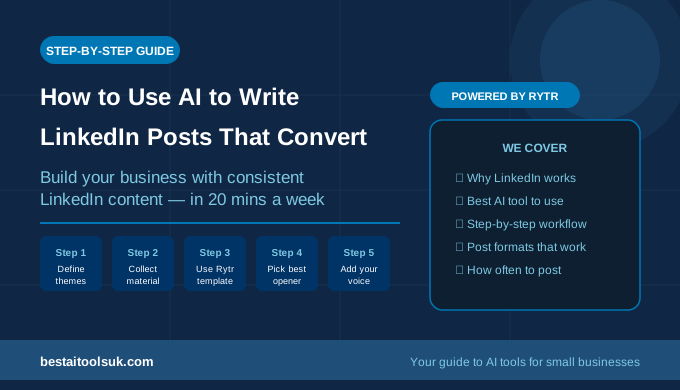
LinkedIn rewards professional, insightful content that demonstrates expertise and sparks discussion. AI-generated LinkedIn posts work best when you add a genuine professional observation or insight that only you could provide — something from your actual experience running or working in your industry. The AI handles the structure and professional tone. You provide the expert insight that makes the post worth reading.
LinkedIn posts perform best when they end with a genuine question that invites comment — not a generic ‘What do you think?’ but a specific question related to the post’s content. AI tools often suggest these questions but they frequently need personalising to feel less formulaic.
Instagram captions have more flexibility in tone and length than LinkedIn but require a stronger hook in the first line — the text visible before ‘more’ is clicked. AI tools produce good Instagram captions but frequently make the opening line too long or too generic. Edit the first line to be shorter and more immediately compelling.
Hashtags are important for Instagram discoverability. Rytr sometimes suggests hashtags but they need verification — always check that suggested hashtags are active and relevant rather than taking AI hashtag suggestions at face value.
Facebook content for business pages tends to perform best when it is conversational, community-focused, and includes a clear call to action. AI-generated Facebook posts often need the most editing of any platform because Facebook’s algorithm rewards genuine engagement and organic conversational tone more than polished professional content.
Batching Your Social Content With AI — The Weekly Workflow
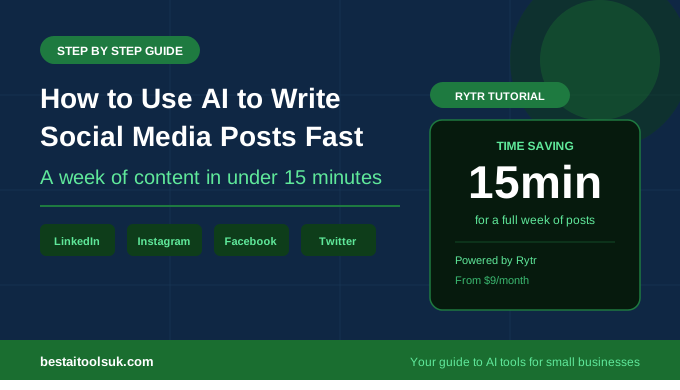
The most time-efficient approach to AI-assisted social media is to batch all your content creation into one session per week. Here is a workflow that produces a week of social content across three platforms in under fifteen minutes:
- Open Rytr and select LinkedIn use case
- Generate three LinkedIn posts for the week — different topics, same professional tone
- Edit each one — add personalisation, fix opening lines, add specific examples
- Switch to Instagram use case — generate three Instagram captions
- Edit — shorter opening lines, check hashtag relevance
- Switch to Facebook use case — generate two Facebook posts
- Edit — make conversational, add clear call to action
- Schedule everything using your scheduling tool of choice
Total time for eight posts across three platforms: ten to fifteen minutes. The editing is the most important step and should not be rushed — but even with careful editing, this workflow is dramatically faster than writing every post from scratch.
What AI Cannot Do for Your Social Media
AI writing tools produce the structure and copy of social media posts. They cannot produce the genuine personal stories, specific client results, behind-the-scenes observations, or topical reactions that make social content feel authentically human and worth following. The best social media accounts combine AI efficiency for the structural elements with genuine human insight for the content that builds an audience. See our full guide to the best AI writing tools for small businesses.
The accounts that become genuinely influential in their niches — the ones that attract followers, drive enquiries, and build real brand equity — are the ones where AI handles the production friction while the human behind the account provides the specific expertise, personality, and genuine perspective that no AI can replicate. Use AI to remove the barriers to consistency. Use your own knowledge and experience to make the content worth reading.
⭐ Ready to stop procrastinating on social media? Rytr produces professional social posts for LinkedIn, Instagram, Facebook and Twitter in seconds. Try Rytr free here → rytr.me
Published on bestaitoolsuk.com — Your trusted guide to AI tools for small businesses