How to Save 10 Hours a Week Using AI Writing Tools
The practical guide to reclaiming your working week by using AI writing tools for the writing tasks that are quietly consuming your time
This article contains affiliate links. If you purchase through these links, we may earn a commission at no extra cost to you. This does not affect our assessment — we only recommend tools we genuinely believe deliver value.
Most small business owners significantly underestimate how much time they spend on writing every week. Emails, proposals, social media posts, blog content, newsletters, product descriptions, client updates — each task feels small in isolation. Added together across a full working week, the writing tasks that are not your core business typically consume five to ten hours of your most valuable time.
AI writing tools will not save you ten hours a week if you spend two hours a week on writing. But if you are a typical small business owner managing your own communications, content, and marketing, the time saving from the right AI tools is genuinely transformative — and the combined cost of the best tools is under £20 per month. This guide shows you exactly where small business owners lose the most time to writing tasks and precisely how AI tools address each one.
How to Save 10 Hours a Week Using AI Writing Tools: Where the Time Goes
Before looking at solutions it is worth being precise about where small business owners actually lose time to writing. Research consistently shows the same pattern across different business types and sizes. The biggest time drains are not the obvious ones — most business owners focus on blog content as the main writing task, but the real hours are lost in the daily accumulation of smaller tasks.
A typical small business owner managing their own communications spends approximately 15 to 20 minutes on each significant email — proposal follow-ups, new client introductions, complaint responses, partnership outreach. With five to ten of these per day, that is one and a half to three hours on email alone. Add social media content, any blog writing, newsletters, and proposal writing, and five to ten hours per week is a realistic and common figure.
The Time Saving Reality: Before and After AI Tools
| Writing Task | Without AI | With AI | Time Saved |
| Client email — standard | 15 minutes | 2 minutes | 13 minutes |
| Proposal follow-up email | 25 minutes | 3 minutes | 22 minutes |
| Weekly social media captions x5 | 60 minutes | 10 minutes | 50 minutes |
| Blog post first draft 1500 words | 3 hours | 45 minutes | 2h 15 mins |
| Email newsletter | 90 minutes | 20 minutes | 70 minutes |
| Product description x5 | 45 minutes | 8 minutes | 37 minutes |
| Weekly total | ~7.5 hours | ~1.5 hours | ~6 hours |
The table above reflects realistic time savings based on typical small business writing tasks. The actual saving depends heavily on how much writing you do and how efficiently you currently do it. For a business owner who writes quickly and naturally, the saving is at the lower end. For someone who finds writing difficult or time-consuming, the saving is at the higher end. Either way, the cumulative impact across a working week is significant.
Task 1 — Email Writing: Save 2 to 3 Hours Per Week
The Problem
Email is where most small business owners lose the most writing time without realising it. The problem is not individual emails — it is the mental energy and start-up time that each email requires. Staring at a blank compose window deciding how to open a follow-up email, how to phrase a price increase, or how to respond to a complaint without making things worse — that friction adds minutes to every email and compounds into hours every week.
The Solution: Rytr for Email Writing
Rytr’s Email and Follow-up Email use cases eliminate the blank screen problem entirely. You describe what the email needs to achieve in two sentences, select your tone, and Rytr produces two professional draft options in about ten seconds. You edit to add your specific details and send. The mental energy previously spent on starting the email is replaced by the much lighter cognitive load of reviewing and editing a solid draft.
The Chrome extension that lets you use Rytr directly inside Gmail is the feature that makes this genuinely practical rather than theoretical. The friction of switching between tools is enough to stop people using AI for everyday emails — the Chrome extension removes that friction completely. See our step by step guide on how to use Rytr to write emails faster for the complete workflow. Start with Rytr’s free plan to test whether it saves you meaningful time before committing to the $9 per month Saver plan.
⭐ Save 2 to 3 hours per week on email writing. Rytr’s free plan lets you test it properly before spending anything. Try Rytr free here → rytr.me
Task 2 — Proposal Writing: Save 1 to 2 Hours Per Proposal
The Problem
Writing a business proposal from scratch is one of the most time-consuming and mentally demanding writing tasks a small business owner faces. Getting the structure right, articulating the value proposition clearly, justifying the pricing, and hitting the right tone — all while knowing that the proposal directly determines whether you win or lose a client — is genuinely difficult to do well under time pressure.
The Solution: Rytr Business Pitch Use Case
Rytr’s Business Pitch use case produces a professional proposal framework — problem statement, proposed solution, key differentiators, and call to action — from a brief description of the client and project. The output requires personalisation and editing but provides a solid professional structure that eliminates the most time-consuming part of proposal writing: starting from nothing.
A proposal introduction and solution section that might take ninety minutes to write from scratch takes around fifteen minutes with Rytr handling the draft. For businesses sending regular proposals, this compounds into hours every week. See our complete guide on how to write a business proposal using Rytr for the step by step process.
Task 3 — Social Media Content: Save 45 to 60 Minutes Per Week
The Problem
Most small business owners know they should be posting on social media consistently. Most do not, because writing captions for LinkedIn, Instagram, and Facebook simultaneously every week — content that is varied enough to stay engaging, professional enough to represent the business well, and varied enough across platforms — takes longer than it looks and runs dry faster than expected.
The Solution: Rytr Social Media Use Cases
Rytr covers LinkedIn posts, Instagram captions, Facebook posts, and Twitter content as dedicated use cases with appropriate tone and format for each platform. A week of social content across three platforms — fifteen individual pieces — takes about ten minutes with Rytr rather than the sixty minutes it takes manually. The output requires light editing to add your specific voice and any topical references, but the structural and copywriting work is done.
Task 4 — Blog Content: Save 2 Hours Per Post
The Problem
Blog content is where most small business owners feel the time pressure most acutely. A well-written, well-researched 1,500 word blog post takes three to six hours to produce. For a business owner trying to publish weekly content alongside running an actual business, that time requirement is simply not sustainable without sacrificing something else.
The Solution: Frase for SEO Research and Koala AI for Generation
The most efficient blog content workflow combines Frase for SEO research and content intelligence with Koala AI for fast first draft generation. Frase analyses what is currently ranking for your target keyword and tells you exactly what your article needs to cover — eliminating the 45 to 60 minutes of manual research that should precede any serious blog post. Koala AI then generates a complete first draft from your Frase content brief in about three minutes. The result is a well-structured, SEO-informed first draft in under fifteen minutes that would previously have taken several hours to produce.
Even with the editing time required to bring AI-generated blog content to publication standard — typically thirty to forty-five minutes — the total time for a complete blog post drops from three to six hours to forty-five to sixty minutes. See our guide on how to use Frase SEO to rank on Google and our tutorial on how to use Koala AI to write blog posts for the complete workflows.
⭐ Cut your blog writing time from hours to under an hour. Frase shows you what to write, Koala AI writes the first draft. Try Frase here → frase.io
Task 5 — Email Newsletters: Save 60 to 90 Minutes Per Send
The Problem
Email newsletters deliver one of the best returns on investment in small business marketing — but they are consistently deprioritised because writing them from scratch takes too long. A business owner who knows they should be sending a monthly newsletter but finds the writing process takes ninety minutes they do not have will eventually stop sending altogether.
The Solution: Rytr Email Newsletter Use Case
Rytr’s Email Newsletter use case generates a complete newsletter draft from a brief covering the two or three topics you want to include. The draft requires personalisation and your specific insights and examples, but the structural work — the introduction, the transitions between sections, the closing — is handled automatically. A newsletter that previously took ninety minutes takes twenty to thirty minutes with Rytr handling the scaffold.
Building Your AI Writing Stack
The combination that delivers the maximum time saving for most small businesses is straightforward. Rytr at $9 per month for email writing, proposal drafting, social media content, and newsletters. Frase at $12.66 per month for SEO blog content research and optimisation. Koala AI at $9 per month if high-volume blog content is a priority.
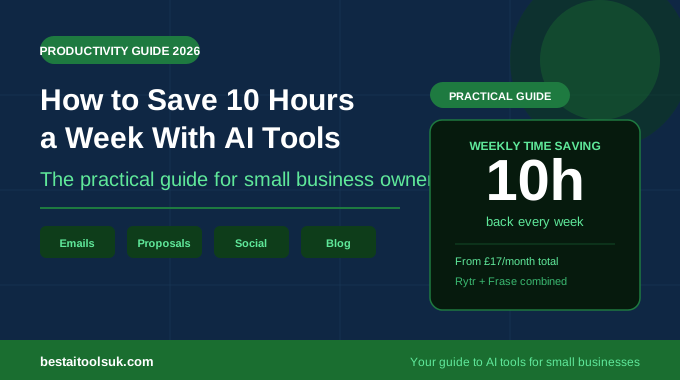
Rytr alone saves most small business owners three to four hours per week on everyday writing tasks. Adding Frase saves an additional two hours per blog post. The combined cost of Rytr and Frase is approximately £17 per month — less than the average hourly rate of a UK freelance copywriter. The return on investment is immediate and measurable from the first week of use.
The Honest Caveat
AI writing tools save time on writing tasks. They do not save time on thinking, strategy, or the genuine expertise that makes content valuable. The time freed by AI tools is most productively spent on the work that requires your specific knowledge and judgment — not on more administrative tasks that could themselves be automated.
The business owners who get the greatest value from AI writing tools are the ones who use the time saved to do more of the high-value work that only they can do — more client conversations, more strategic thinking, more business development — rather than simply filling the saved time with more writing tasks. That is when the ten hours per week saving translates into genuine business growth rather than just a less exhausting week.
⭐ Start saving time on writing this week. Rytr’s free plan gives you 10,000 characters with no time limit — enough to test whether it saves you meaningful time before spending anything. Try Rytr free here → rytr.me For SEO blog content that ranks: Try Frase here → frase.io
Published on bestaitoolsuk.com — Your trusted guide to AI tools for small businesses