Is Monday.com Worth It in 2026? An Honest Review for Small Businesses
A straight answer on whether Monday.com justifies its price — what it does well, where it falls short, and which businesses get the most value from it
This article contains affiliate links. If you purchase through these links, we may earn a commission at no extra cost to you. This does not affect our assessment — we only recommend tools we genuinely believe deliver value.
Quick Verdict: Yes — Monday.com is worth it for small businesses managing multiple projects or clients simultaneously. The visual clarity, AI automation, and flexibility justify the cost for teams that produce enough work to benefit from structured project tracking. Solo traders with simple task needs are better served by free alternatives like Asana or Trello.
Is Monday.com worth it is the question that small business owners ask after seeing it recommended as a project management solution — and then discovering there is no free plan. At approximately nine pounds per seat per month on the Basic plan, Monday.com is not the cheapest project management option available, and the minimum of three seats means the entry cost is at least twenty-seven pounds per month. For a small business that could use Asana’s free plan or Trello’s free plan, Monday.com needs to deliver meaningfully more value to justify the cost. This review tells you whether it does — and for which specific business situations the answer is yes.
For the broader context of how Monday.com compares to its main competitors, see our guide to the best AI project management tools for small businesses for the full comparison of alternatives at different price points.
What Is Monday.com?
Monday.com is a visual work operating system — a flexible project management platform that allows businesses to build custom boards for tracking any type of work, from client project delivery to sales pipelines to content calendars. Unlike more prescriptive project management tools, Monday.com does not impose a specific methodology — you build the system that matches how your business actually works. The AI features include Monday AI, which generates project plans, creates task descriptions, summarises project updates, identifies timeline risks, and powers automation workflows that trigger actions across your workspace based on specific events.
Monday.com Pros and Cons
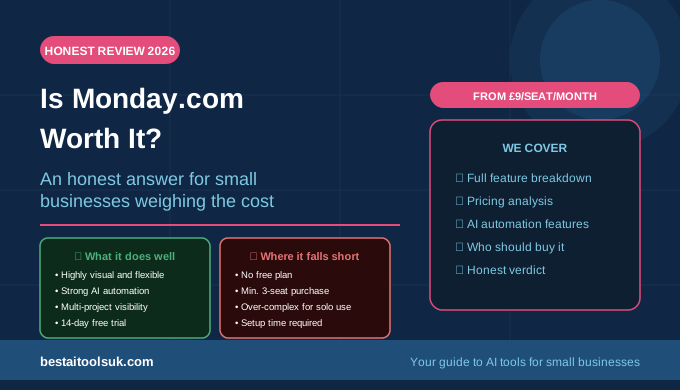
| What Monday.com Does Well | Where It Falls Short |
| ✓ Highly visual and immediately clear | ✗ No free plan — minimum cost per seat |
| ✓ Extremely flexible — adapts to any workflow | ✗ Can feel over-engineered for simple tasks |
| ✓ Strong AI automation features | ✗ Per-seat pricing adds up for larger teams |
| ✓ Excellent multi-project visibility | ✗ Initial setup investment required |
| ✓ Scales well from small to larger teams | ✗ Some advanced features on higher tiers only |
| ✓ Wide integration ecosystem | ✗ Reporting less powerful than dedicated tools |
| ✓ 14-day free trial with full features | |
| ✓ Strong mobile app |
Monday.com Features: What You Actually Get
Visual Boards and Work Tracking
Monday.com’s core strength is its visual clarity. The board interface — where each row is a task or item and each column is a property — provides an immediately understandable view of any project or workflow. Multiple view types — board, timeline, calendar, chart, map, and Gantt — allow you to see the same work in different ways depending on what decision you are trying to make. For businesses managing multiple client projects simultaneously, the ability to switch between a detailed task view and a high-level timeline view without leaving the platform is genuinely useful. For the complementary tools that support the work tracked in Monday.com, see our guide to the best AI productivity tools for small businesses.
AI Automation and Monday AI
Monday.com’s automation engine is one of its strongest features for small businesses — allowing you to build workflows that trigger automatic actions based on specific events without any coding. When a task status changes to complete, automatically notify the client. When a deadline passes without completion, automatically assign it to a manager for review. When a new lead is added, automatically create a project from a template. The no-code automation builder makes these workflows accessible for non-technical business owners, and the AI-powered automation suggestions recommend workflows based on how your team uses the platform.
Monday AI adds a layer of intelligence on top of this automation foundation — generating project plans from brief descriptions, writing task summaries, identifying which projects are at risk of missing deadlines, and creating meeting agenda drafts from project context. For businesses that previously spent significant time on project status reporting and administrative coordination, these AI features deliver genuine time savings.
Integrations
Monday.com integrates with over two hundred business tools — including Gmail, Outlook, Slack, Zoom, Salesforce, HubSpot, Jira, GitHub, and most major project and communication platforms. For small businesses that use multiple tools and want their project management system to connect with their existing workflow, Monday.com’s integration ecosystem is one of the most comprehensive available at this price point. For the email marketing tools that integrate with Monday.com for client project management, see our guide to the best AI email marketing tools for small businesses.
Reporting and Analytics
Monday.com’s reporting features provide workload overviews, project progress tracking, and time-based performance data. The dashboard builder allows businesses to create custom views combining data from multiple boards — useful for business owners who want a single view of all active projects and team workloads. The honest limitation is that the reporting is less sophisticated than dedicated business intelligence tools for businesses that need advanced analytics — it covers the project management reporting needs of most small businesses well, but does not replace dedicated reporting tools for complex data analysis.
Monday.com Pricing: Is It Good Value?
Monday.com’s pricing model — per seat, with a minimum of three seats — means the entry cost is higher than it might initially appear. The Basic plan at approximately nine pounds per seat per month becomes twenty-seven pounds per month for the minimum three-seat requirement. The Standard plan at approximately twelve pounds per seat per month — which adds the timeline view, guest access, and automation — is the more appropriate starting point for most small businesses and costs thirty-six pounds per month for three seats.
For businesses that are genuinely using Monday.com across a team of three or more people, the per-seat cost is competitive with Asana and ClickUp at equivalent feature levels. For solo traders or two-person businesses that only need one or two seats, the three-seat minimum makes Monday.com significantly more expensive than alternatives. The fourteen-day free trial provides access to the full Pro feature set — which is more than sufficient time to evaluate whether the platform suits your specific workflow before committing to a subscription. See our guide to the best AI project management tools for small businesses for how Monday.com’s pricing compares to the full range of alternatives.
Monday.com: Who Gets the Most Value
Monday.com delivers the most value for small businesses managing multiple client projects simultaneously — agencies, consultancies, professional services firms, and project-based businesses where the visual clarity of multiple boards and the timeline view across projects is commercially important. It is worth the investment for businesses with three or more team members who all need visibility of the same work. And it is worth it for businesses that will genuinely use the automation features — the time saving from automated status updates, client notifications, and task creation workflows compounds significantly over a month of consistent use.
Monday.com: Who Should Look Elsewhere
Monday.com is not worth it for solo traders with simple task management needs — Asana’s free plan or Trello’s free plan covers these requirements at no cost. It is not worth it for businesses that will only use it to track a single project at a time, where the visual complexity of Monday.com’s multi-board system provides no advantage over simpler alternatives. And it is not worth it for businesses that are unlikely to maintain the system consistently — Monday.com requires more upfront investment in setup than simpler tools, and an unmaintained Monday.com workspace delivers less value than a consistently used Trello board. For a full comparison of alternatives, see our guide to the best AI project management tools for small businesses.
The Honest Verdict
Monday.com is worth it for small businesses managing multiple projects, multiple clients, or a team of three or more people who need shared visibility of their work. The visual clarity, flexibility, and AI automation features deliver genuine productivity improvements for businesses that use the platform consistently and configure it to match their actual workflow. The per-seat pricing and minimum seat requirement make it a significant investment for very small or solo operations where free alternatives cover the same basic requirements.
The fourteen-day free trial is the most important data point — if you use Monday.com actively during the trial, build workflows that match your business needs, and find that the visibility and automation save meaningful time, the subscription pays for itself quickly. If you find yourself returning to email and spreadsheets during the trial, the platform is not the right fit for how you work. Try Monday.com free here with the full-feature trial and make the decision based on actual usage rather than the feature list.
⭐ Try Monday.com free for 14 days and decide for yourself: Try Monday.com free here
Published on bestaitoolsuk.com — Your trusted guide to AI tools for small businesses