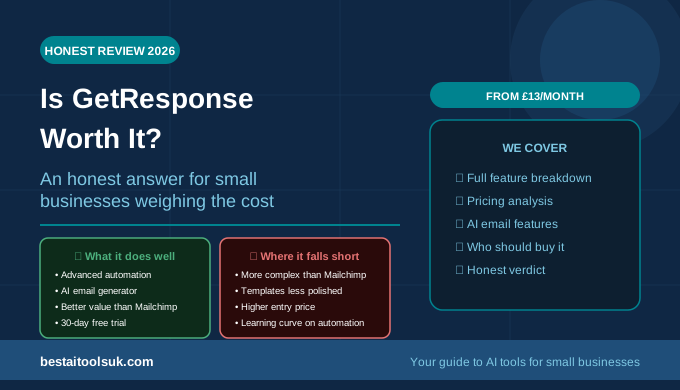
Is GetResponse Worth It in 2026? An Honest Review for Small Businesses
A straight answer on whether GetResponse justifies its price tag — what it does well, where it falls short, and who it is actually built for
This article contains affiliate links. If you purchase through these links, we may earn a commission at no extra cost to you. This does not affect our assessment — we only recommend tools we genuinely believe deliver value.
Quick Verdict: Yes — GetResponse is worth it for most small businesses that are serious about email marketing. The automation capabilities, AI features, and value at higher contact volumes make it a stronger long-term platform than Mailchimp for growing businesses. The 30-day free trial removes all risk from trying it.
Is GetResponse worth it is the question that small business owners ask after seeing it recommended as a Mailchimp alternative — usually when they have hit Mailchimp’s price ceiling as their list has grown and are looking for better value. The answer depends on what you need email marketing to do for your business. GetResponse is a comprehensive email marketing and automation platform with a feature set that goes significantly beyond what Mailchimp offers at equivalent price points — but those additional features are only worth paying for if you actually use them. This review tells you exactly what GetResponse delivers, who benefits most from it, and whether the investment makes sense for your specific situation.
For the context of how GetResponse compares to its main competitors, see our GetResponse vs Mailchimp comparison and our guide to the best AI email marketing tools for small businesses for the full range of alternatives.
What Is GetResponse?
GetResponse is an all-in-one email marketing and automation platform that has been serving businesses since 1998. Where most email marketing platforms focus on email sending and basic automation, GetResponse extends into webinar hosting, SMS marketing, landing page creation, conversion funnels, and a website builder — all within a single platform. The core email marketing features include a drag-and-drop email builder, an AI email generator, marketing automation with visual workflow design, comprehensive A/B testing, and send time optimisation. Plans start with a free tier supporting up to five hundred contacts, with paid plans beginning at approximately thirteen pounds per month.
GetResponse Pros and Cons
| What GetResponse Does Well | Where It Falls Short |
| ✓ Advanced automation with visual workflow builder | ✗ More complex interface than Mailchimp |
| ✓ AI email generator for full campaigns | ✗ Template designs less polished than some rivals |
| ✓ Native webinar hosting included | ✗ Higher starting price than Mailchimp free plan |
| ✓ Better value than Mailchimp as lists grow | ✗ Webinar feature less capable than dedicated tools |
| ✓ SMS marketing built in | ✗ Reporting dashboard takes time to learn |
| ✓ Comprehensive A/B testing | ✗ Phone support limited to higher plans |
| ✓ 30-day free trial — no card needed | |
| ✓ Strong landing page builder |
GetResponse Features: What You Actually Get
Email Builder and Templates
GetResponse’s email builder is functional and comprehensive — the drag-and-drop interface covers all standard email layouts and the template library includes over a hundred professionally designed templates across newsletters, promotional emails, and automated sequences. The designs are clean and professional without being as visually distinctive as Mailchimp’s best templates. For most small businesses, the template quality is entirely sufficient — the difference in design polish between GetResponse and Mailchimp matters significantly less than the difference in automation capability as your email programme develops. See our guide on how to use AI for email marketing for the copywriting approach that makes the most of any platform’s templates.
AI Email Generator
GetResponse’s AI email generator is one of the most practically useful AI features available in any email marketing platform. Describe the goal of your email campaign — the audience, the message, the desired action — and the AI generates a complete email including subject line, preview text, and body copy in under thirty seconds. The output is a solid starting point that requires editing and personalisation rather than wholesale rewriting. For small business owners who previously spent thirty to sixty minutes writing each email from scratch, this feature alone saves meaningful time every week.
Marketing Automation
Marketing automation is where GetResponse most clearly justifies its price advantage over Mailchimp. The visual workflow builder allows businesses to create sophisticated automated sequences — welcome journeys, lead nurturing sequences, abandoned cart recovery, post-purchase follow-ups, and behavioural triggers — using a drag-and-drop interface that does not require technical expertise. Conditions, filters, and scoring rules allow the automation to respond differently to different subscriber behaviours, ensuring that the right message reaches the right person at the right moment. For small businesses that want email to do more than send newsletters, GetResponse’s automation capabilities are genuinely transformative.
Webinars
GetResponse includes native webinar hosting — a feature that no other major email marketing platform offers as part of its core plans. For businesses that use webinars as a lead generation or client education tool, having webinar hosting, email marketing, and automated follow-up sequences within a single platform is a significant workflow advantage. The webinar feature is capable for most small business use cases — up to a hundred attendees on lower-tier plans — though dedicated webinar platforms like Zoom Webinars or Demio offer more sophisticated features for businesses that host large or complex webinars regularly.
Landing Pages
GetResponse’s landing page builder allows businesses to create opt-in pages, sales pages, and thank-you pages without a separate tool. The templates are conversion-optimised and the A/B testing capability allows you to test different landing page variants to identify which performs best. For businesses building their email list through dedicated landing pages rather than embedded website forms, this feature removes the need for a separate landing page tool. Combined with GetResponse’s email automation, you can build complete lead capture and nurture funnels within a single platform. See our guide on how to use AI writing tools to grow your email list for the list building strategy that works best alongside GetResponse’s landing pages.
GetResponse Pricing: Is It Good Value?
GetResponse’s pricing is one of its strongest selling points relative to Mailchimp for growing businesses. The free plan supports up to five hundred contacts — identical to Mailchimp’s free tier. The Email Marketing plan at approximately thirteen pounds per month includes one thousand contacts and the core automation features. As list sizes grow, GetResponse consistently offers more features at lower price points than Mailchimp — at five thousand contacts, GetResponse’s Marketing Automation plan at approximately forty pounds per month includes the full automation suite, while Mailchimp’s Standard plan at the same contact level costs approximately forty-five pounds per month and includes fewer automation features.
The 30-day free trial on paid plans is another significant advantage — it allows you to test the full feature set, build your automation sequences, and evaluate the platform’s value for your specific workflow before committing to a subscription. Mailchimp does not offer a free trial on its paid features.
GetResponse: Who Is It Best For?
GetResponse is worth the investment for small businesses that are building an email list as a deliberate marketing asset and want the automation infrastructure to monetise that list effectively. It is the right choice for businesses that send regular newsletters and want to add sophisticated automation sequences without switching platforms as they grow. It is the right choice for businesses that use webinars as part of their marketing or client education strategy. And it is the right choice for businesses that have found Mailchimp’s pricing increasing faster than the value they receive as their list grows.
GetResponse: Who Should Look Elsewhere?
GetResponse is not the right choice for complete beginners who want the absolute simplest email marketing experience — Mailchimp’s interface is more accessible for people who have never used an email marketing platform before. It is not the right choice for businesses that need advanced CRM integration or complex sales pipeline management — ActiveCampaign is stronger in those areas. And it is not the right choice for businesses with very simple email marketing needs — a single newsletter and no automation — where the additional capabilities represent more than is needed and a free Mailchimp plan covers the requirements without cost. See our guide to the best AI email marketing tools for small businesses for the full comparison of alternatives.
The Honest Verdict
GetResponse is worth it for most small businesses that are serious about email marketing as a growth channel. The automation capabilities are meaningfully stronger than Mailchimp at equivalent price points, the AI email generator saves real time on campaign production, and the 30-day free trial removes all financial risk from evaluating the platform properly. The businesses that get the most value from GetResponse are those that use the automation features — businesses that set up welcome sequences, lead nurture campaigns, and behavioural triggers that would otherwise require either manual effort or a more expensive platform.
The businesses that do not get sufficient value are those that use GetResponse purely as a newsletter sender without building any automation — in that case, a free Mailchimp plan covers the same basic functionality at no cost. If you plan to do more than send a monthly newsletter — if you want email to actively generate leads, nurture prospects, and convert subscribers into customers — GetResponse delivers that capability at a price that is accessible for small businesses. Try GetResponse free here with the 30-day trial and build your first automated sequence before committing to a paid plan.
⭐ Try GetResponse free for 30 days — no credit card required: Try GetResponse free here
Published on bestaitoolsuk.com — Your trusted guide to AI tools for small businesses