How to Use Rytr to Write Emails Faster: A Step by Step Guide for Small Businesses
Save hours every week on client emails, follow-ups and newsletters using Rytr’s AI writing tool
This article contains affiliate links. If you purchase through these links, we may earn a commission at no extra cost to you.
If you run a small business, you probably spend more time writing emails than you realise. Client proposals, follow-up sequences, newsletters, inquiry responses, supplier communications — it adds up fast. Most small business owners spend between three and five hours every week just on email writing. That is time that could be spent on the actual work that grows your business.
Rytr is an AI writing tool that can cut your email writing time by more than half. At $9 per month it is one of the most affordable AI tools available, and its email-specific use cases are among the most practical on the market. This step by step guide shows you exactly how to use Rytr to write better business emails faster — from cold outreach to client follow-ups to weekly newsletters.
If you have not tried Rytr yet, you can start with their free plan which gives you 10,000 characters per month at no cost. See our full Rytr review for a complete breakdown of the platform.
Why AI Is Perfect for Business Email Writing
Email follows predictable patterns. A follow-up email after a meeting has a recognisable structure. A proposal email covering price and scope has standard components. A newsletter opening that captures attention follows proven frameworks. Because email writing is so structured, AI handles it exceptionally well.
The mistake most people make with AI writing tools is expecting them to replace their thinking. They do not. What they do is handle the structural and formulaic elements of writing so you can focus your time on the parts that require your specific knowledge, personality, and business expertise. You still decide what to say — Rytr helps you say it faster and more effectively.
For small business owners who are not natural writers, AI tools also remove the anxiety of starting from a blank screen. Instead of spending twenty minutes wondering how to open a difficult email, you have a solid draft in thirty seconds that you can edit and personalise in another two minutes.
Getting Started With Rytr for Email Writing
Step 1 — Create Your Rytr Account
Go to rytr.me and sign up for the free plan. No credit card is required. The free plan gives you 10,000 characters per month which is enough to write around 15 to 20 emails, giving you a proper chance to test the platform before committing to the paid plan.
Once you are logged in you will see the main dashboard. On the left side you will see a list of use cases — these are the pre-built templates for different content types. For email writing you will primarily use three of these: Email, Follow-up Email, and Business Pitch.
Step 2 — Choose Your Use Case
For most business emails, select the Email use case from the left sidebar. This is Rytr’s general email template and works well for the majority of business communication including client updates, inquiry responses, meeting requests, and general correspondence.
For following up after a meeting or proposal, select Follow-up Email specifically. This use case is optimised for the specific tone and structure that follow-up emails require — professional but persistent, brief but informative.
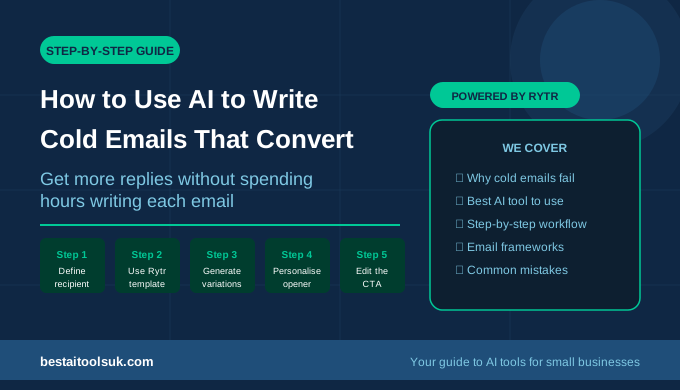
For pitching your services to a new prospect, select Business Pitch or Cold Email. These use cases are designed for outreach scenarios where you need to capture attention quickly and communicate your value proposition clearly.
Step 3 — Set Your Tone of Voice
Before generating your email, select the tone of voice that matches the context. Rytr offers 20 different tones including formal, conversational, enthusiastic, professional, and persuasive. For most business emails, formal or professional works well. For less formal client relationships, conversational is more appropriate.
Choosing the right tone is the single most impactful thing you can do to improve the quality of Rytr’s output. The same brief with a formal tone and a conversational tone produces very different emails — both can be excellent for the right context.
Step 4 — Write Your Brief
This is where you tell Rytr what the email is about. The quality of your brief directly determines the quality of the output. A vague brief produces a generic email. A specific brief produces something you can actually use.
Good brief examples:
- Following up with a client after sending a proposal three days ago for a website redesign project worth approximately £2,000
- Responding to an inquiry about social media management services, asking for more details about their budget and timeline
- Sending a weekly newsletter update to existing clients covering three new AI tools launched this month
- Requesting a meeting with a potential supplier to discuss pricing for bulk orders
Notice that good briefs include the context, the relationship, the specific topic, and any relevant details like prices or timelines. The more specific you are, the less editing the output will need.
Step 5 — Generate and Edit
Click Generate and Rytr will produce two or three variations of your email. Read through all of them — often the second or third variation is stronger than the first. Select the one that feels closest to what you need.
Then edit it. This step is important and should never be skipped. Add your specific details, adjust the tone where needed, and make sure it sounds like you rather than a generic AI. This editing step typically takes two to three minutes and is what transforms a good AI draft into a great business email.
The Most Useful Rytr Email Use Cases for Small Businesses
Client Proposal Emails
One of the most time-consuming emails any small business owner writes is the proposal email — the one that accompanies a formal quote or scope of work document. Getting the tone right matters enormously here. Too pushy and you lose the client. Too passive and the proposal sits unread.
Use Rytr’s Business Pitch use case with a persuasive tone. Your brief should include the client’s name, what they enquired about, the approximate value of the work, and one key reason why your business is the right choice. Rytr will generate a compelling structure you can build on.
Follow-up Email Sequences
Most sales are lost not because the prospect was uninterested but because the follow-up never came. Consistent follow-up is one of the highest return activities in any small business but it is also one of the most tedious to write — you can only say ‘just checking in’ so many ways.
Rytr’s Follow-up Email use case generates follow-ups that feel fresh rather than formulaic. Use it to create a sequence of three follow-ups for any proposal or inquiry: one at three days, one at one week, and one at two weeks. Having these drafted in advance means you never let a promising lead go cold because you forgot to follow up.
Client Newsletters
Regular newsletters keep your existing clients engaged and position you as an expert in your field. Most small business owners know they should send newsletters but find the writing process so time-consuming that they either send them infrequently or abandon them entirely.
Use Rytr’s Email Newsletter use case to draft your newsletter content quickly. Write a brief covering the two or three topics you want to include, select an informational or enthusiastic tone, and Rytr will produce a well-structured draft you can personalise and send. What previously took two hours can be done in twenty minutes.
Difficult Client Emails
Every small business eventually needs to write emails that feel uncomfortable — delivering bad news about a delay, addressing a complaint, declining a request, or raising your prices. These emails often get procrastinated because getting the tone wrong can damage a client relationship.
Rytr is particularly useful for these scenarios. Use the Email use case with a formal or professional tone and be very specific in your brief about the situation and the outcome you want. The AI removes the emotional friction of starting these emails from scratch and usually produces a more measured and professional tone than you might achieve when writing under stress.
Using the Rytr Chrome Extension for Gmail
One of Rytr’s most useful features for email writers is the Chrome extension, which lets you use Rytr directly inside Gmail without switching between tabs. This is a significant time saver in practice — the friction of opening a new tab, navigating to Rytr, copying and pasting between platforms adds up across a working week.
To install it, search ‘Rytr Chrome extension‘ in the Chrome Web Store and add it to your browser. Once installed, a small Rytr icon will appear inside your Gmail compose window. Click it, enter your brief, and the generated email appears directly in your compose box ready to edit and send.
For small business owners who live in their inbox, this extension turns Rytr from a useful tool you occasionally visit into an integrated part of your daily email workflow. Using Rytr for your freelance business? See our guide to the best AI tools for freelancers.
Tips for Getting the Best Results From Rytr Email Writing
Always Include Context in Your Brief
The more context you give Rytr, the better the output. Include the recipient’s name, your relationship with them, the specific situation, and the outcome you want from the email. A brief that takes you 30 seconds to write properly will save you 5 minutes of editing afterwards.
Generate Multiple Variations
Always generate at least two variations and read both before choosing. Rytr’s variations can differ significantly in tone and approach. What looks like the weaker option at first glance sometimes contains a better opening line or a more effective call to action.
Save Your Best Outputs as Templates
When Rytr produces an email that works really well for a particular scenario, save it as a template in your notes app or a Google Doc. Over time you will build a library of proven email structures for every common scenario in your business. Future emails in similar situations will take even less time because you have a strong starting point.
Use the Plagiarism Checker on Important Emails
Rytr’s Saver plan includes a built-in plagiarism checker. For important external communications like proposals and partnership emails, it is worth running your final draft through this to ensure nothing has been inadvertently duplicated from common sources. Looking for more AI writing tools? See our complete guide to the best AI writing tools for small businesses in 2026.
How Much Time Will You Actually Save?
Based on typical small business email volumes, here is what the time saving looks like in practice. If you send around 20 business emails per week and each currently takes you an average of 10 minutes to write, that is over three hours of email writing every week.
With Rytr handling the first draft and you spending two to three minutes editing each one, that same 20 emails takes under an hour. You have reclaimed two hours every single week from email writing alone. Over a full year that is more than 100 hours returned to you — time you can spend on billable work, business development, or simply not working evenings.
At $9 per month, Rytr costs approximately £7. Even if it only saves you one hour per week and you value your time at minimum wage, the return on investment is immediate and significant. For most small business owners whose time is worth considerably more than minimum wage, the case for Rytr is straightforward.
⭐ Ready to use Rytr to write emails faster? Start with Rytr’s free plan — no credit card needed. Try Rytr free here → rytr.me