ChatGPT vs Microsoft Copilot: Which Is Better for Small Businesses in 2026?
A direct comparison of the two most widely available AI assistants — so you can decide whether to pay for ChatGPT Plus or use the Copilot that might already be included in your Microsoft subscription
This article contains affiliate links. If you purchase through these links, we may earn a commission at no extra cost to you. This does not affect our assessment — we only recommend tools we genuinely believe deliver value.
ChatGPT vs Microsoft Copilot is the comparison that millions of small business owners using Microsoft 365 are now asking. For years, ChatGPT was the only serious AI assistant option for most business users. In 2026, Microsoft Copilot is built into Word, Excel, Outlook, Teams, and every Windows PC — which means many business owners already have access to a capable AI assistant without paying anything extra. The question is whether ChatGPT’s standalone capabilities justify paying sixteen pounds per month on top of an existing Microsoft 365 subscription, or whether Copilot’s deep integration with Microsoft’s tools makes it the more practical choice for day-to-day business use.
The honest framing is that this comparison is less about which AI model is technically superior and more about which tool fits better into how you actually work. If your daily workflow runs through Microsoft 365 — writing in Word, analysing data in Excel, emailing in Outlook, meeting on Teams — Copilot’s native integration provides AI assistance exactly where you need it without any switching costs. If your work spans multiple platforms or you need AI capabilities that go beyond Microsoft’s ecosystem, ChatGPT’s versatility justifies the additional cost. For the broader context of AI tools available to small businesses, see our guide to the best AI productivity tools for small businesses.
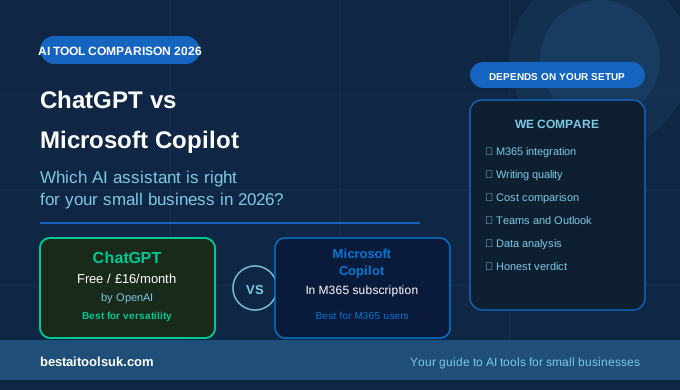
ChatGPT vs Microsoft Copilot: Quick Comparison
| Feature | ChatGPT | Microsoft Copilot |
| Free plan | Yes — GPT-3.5 | Yes — limited |
| Paid plan | £16/month (Plus) | Included in M365 (£9+/mo) |
| Microsoft 365 integration | Limited | ✓ Native — Word, Excel, Teams |
| Web browsing | ✓ Plus and above | ✓ All plans |
| Image generation | ✓ DALL-E 3 (Plus) | ✓ Designer/Dall-E |
| Writing quality | ✓ Excellent | ✓ Strong |
| Code generation | ✓ Excellent | ✓ GitHub Copilot available |
| Data analysis | ✓ Advanced Data Analysis | ✓ In Excel |
| Email drafting | Manual copy-paste | ✓ Native in Outlook |
| Best for | General AI tasks | Microsoft 365 users |
What Is Microsoft Copilot?
Microsoft Copilot is Microsoft’s AI assistant, powered by OpenAI’s GPT-4 model and integrated natively across Microsoft’s product ecosystem. Copilot appears in multiple contexts: as a standalone web chat interface at copilot.microsoft.com, as a sidebar assistant in Windows 11, and — most significantly for business users — as an integrated AI layer within Microsoft 365 applications. In Word, Copilot drafts and rewrites documents. In Excel, it analyses data, creates formulas, and generates charts. In Outlook, it summarises email threads and drafts replies. In Teams, it summarises meetings and creates action item lists. For businesses already paying for Microsoft 365, basic Copilot features are increasingly included in existing subscriptions.
What Is ChatGPT?
ChatGPT is OpenAI’s AI assistant — the tool that launched the mainstream AI revolution in late 2022 and remains the most widely used standalone AI assistant globally. The free plan provides access to GPT-3.5, while ChatGPT Plus at approximately sixteen pounds per month provides GPT-4o — the most capable model available — alongside DALL-E 3 image generation, real-time web browsing, advanced data analysis, and access to custom GPTs. ChatGPT operates as a standalone web and mobile application with no native integration into other software tools, though it connects to many third-party services through integrations. See our comparison of ChatGPT vs Google Gemini for the related comparison of ChatGPT against Google’s AI assistant.
ChatGPT vs Microsoft Copilot: Head-to-Head
Microsoft 365 Integration
This is Microsoft Copilot’s most significant and distinctive advantage. The native integration within Word, Excel, Outlook, and Teams means AI assistance is available exactly where business users need it — without copying content into a separate tool, prompting for output, and copying it back. Drafting a Word document with Copilot assistance, summarising an email thread in Outlook, or asking Excel to analyse a dataset all happen within the tools you are already using. For business owners whose work is centred on Microsoft 365, this workflow integration is genuinely transformative compared to the copy-paste workflow required with ChatGPT.
Verdict: Microsoft Copilot wins on Microsoft 365 integration — it’s not close for M365 users.
Writing Quality and Versatility
ChatGPT wins on raw writing quality and versatility. The nuance, tone control, and creative range of ChatGPT’s writing — particularly on GPT-4o — consistently produce more polished output than Copilot for complex writing tasks. ChatGPT handles a wider range of writing formats — from formal proposals to casual social media posts, from technical documentation to creative marketing copy — with greater consistency and quality. Copilot produces capable business writing within Microsoft applications but is less versatile outside the specific Microsoft contexts it is designed for. For specialist business writing tools that go beyond both ChatGPT and Copilot, see our guide to the best AI writing tools for small businesses.
Verdict: ChatGPT wins on writing quality and versatility.
Cost for Microsoft 365 Users
For businesses already paying for Microsoft 365, the cost comparison is more nuanced than it first appears. Basic Copilot features are increasingly included in Microsoft 365 Business subscriptions — which most small businesses already pay for at approximately nine to twenty pounds per month per user. ChatGPT Plus at sixteen pounds per month represents a significant additional cost on top of an existing Microsoft subscription. For Microsoft 365 users, the practical question is whether ChatGPT’s additional capabilities justify paying for both tools simultaneously. For many small businesses, the answer is no — Copilot’s integrated features cover most everyday AI needs within Microsoft applications at no additional cost.
Verdict: Microsoft Copilot wins on cost for existing Microsoft 365 users.
Data Analysis
Both tools handle data analysis well but in different contexts. Microsoft Copilot’s Excel integration allows business owners to ask questions about their spreadsheet data, generate formulas, create pivot tables, and produce charts directly within Excel — without exporting data to another tool. ChatGPT’s Advanced Data Analysis feature (available on Plus) can analyse uploaded files including Excel spreadsheets, produce visualisations, and perform statistical analysis through Python code generation. For businesses that primarily analyse data within Excel, Copilot’s native integration is more convenient. For businesses that need more sophisticated data analysis beyond Excel’s capabilities, ChatGPT’s Advanced Data Analysis is more powerful.
Verdict: Copilot wins for Excel users. ChatGPT wins for complex data analysis.
Meeting Summaries and Teams Integration
Microsoft Copilot’s Teams integration is one of its most commercially valuable features for businesses that conduct regular video meetings. Copilot can summarise meetings in real time, generate action item lists, answer questions about what was discussed, and create follow-up email drafts — all within Teams without any additional setup. For businesses that conduct regular client calls, team meetings, or discovery sessions on Teams, this feature alone can justify the Microsoft 365 subscription upgrade that includes Copilot. ChatGPT has no native meeting integration, though tools like Otter.ai can transcribe meetings and feed notes into ChatGPT for summarisation.
Verdict: Microsoft Copilot wins for Teams users. ChatGPT requires third-party tools for meeting functionality.
Image Generation
Both tools include AI image generation. ChatGPT Plus includes DALL-E 3 — one of the strongest AI image generators available — directly within the chat interface. Microsoft Copilot includes image generation through Microsoft Designer, also powered by DALL-E. The quality is comparable between the two given they use similar underlying models. For businesses that need AI images within designed layouts for social media and marketing materials, see our guide to the best AI image generators for small businesses for the specialist image tools that outperform both ChatGPT and Copilot for this specific purpose.
Verdict: Roughly equal on image generation quality.
Who Should Choose ChatGPT
ChatGPT is the right choice for small business owners who are not primarily Microsoft 365 users, who need AI assistance across a wide range of tasks and platforms beyond Microsoft’s ecosystem, or who require the highest quality writing output for client-facing content, proposals, and marketing materials. It is the right choice for businesses that use Google Workspace rather than Microsoft 365, or that work across multiple platforms where Copilot’s Microsoft-specific integration provides no advantage. For the specialist AI tools that deliver more focused business value than general AI assistants for specific tasks, see our guide to the best AI productivity tools for small businesses.
Who Should Choose Microsoft Copilot
Microsoft Copilot is the right choice for small businesses that are embedded in the Microsoft 365 ecosystem — using Outlook for email, Word for documents, Excel for data, and Teams for meetings. For these businesses, Copilot’s native integration provides AI assistance exactly where work happens, at a cost that may already be covered by their existing Microsoft subscription. It is particularly valuable for businesses that conduct regular Teams meetings and want automatic summaries and action items, and for businesses that do significant data work in Excel. For the writing tools that deliver more specialist business writing capability than Copilot, see our guide to the best AI writing tools for small businesses.
Can You Use Both?
Yes — and many business owners do. Using Copilot for Microsoft 365 integrated tasks — email drafting in Outlook, document assistance in Word, meeting summaries in Teams — and ChatGPT for higher-stakes writing tasks, research, and tasks outside the Microsoft ecosystem is a practical approach that gets the best of both tools. The combined cost depends on your Microsoft 365 plan, but for businesses that are already paying for a Microsoft 365 Business subscription that includes Copilot, adding ChatGPT Plus at sixteen pounds per month is the only additional cost.
The Honest Verdict
Microsoft Copilot is the more practical choice for small businesses already embedded in Microsoft 365 — the native integration within the tools they use daily provides AI assistance with less friction than ChatGPT’s standalone approach, and at lower additional cost for existing Microsoft subscribers. ChatGPT is the stronger choice for businesses not centred on Microsoft 365, those who need the highest quality writing output, or those who use AI for a wider range of tasks across multiple platforms.
The most important insight from this comparison is that the better tool is almost always the one that integrates most naturally with your existing workflow. If you live in Outlook, Word, and Teams, Copilot will be more useful than ChatGPT in practice even if ChatGPT is technically more capable in isolation. If you work across multiple platforms, ChatGPT’s versatility wins. For specialist AI tools that go further than either general assistant for specific business tasks — writing, SEO, email marketing, social media — see our guides to the best AI writing tools for small businesses and the best AI SEO tools for small businesses.
⭐ Want specialist AI tools that go further than general assistants? Try Rytr free for business writing: Try Rytr free here⭐ Try Frase for AI-powered SEO content that ranks on Google: Try Frase here
Published on bestaitoolsuk.com — Your trusted guide to AI tools for small businesses