Canva AI Review 2026: Is It Worth It for Small Businesses?
An honest look at Canva’s AI features — what they do well, where they fall short, and whether small business owners should upgrade to Pro
This article contains affiliate links. If you purchase through these links, we may earn a commission at no extra cost to you. This does not affect our assessment — we only recommend tools we genuinely believe deliver value.
Canva AI review 2026: Canva AI is the suite of artificial intelligence features built into the world’s most popular design platform — and for small business owners who already use Canva to create graphics, social media posts, and marketing materials, it represents one of the most accessible AI tool upgrades available in 2026. The core AI features include Magic Write for content generation, AI image generation, background removal, and a brand consistency system that keeps your visual identity aligned across every design. Most of these features are available on the free plan in limited form, with the full suite unlocked through Canva Pro at approximately ten pounds per month.
The honest context is that Canva AI is not trying to replace dedicated AI writing tools like Rytr or Frase, or dedicated AI image tools like Midjourney. It is a design platform that has added genuinely useful AI capabilities to an already powerful tool. For small business owners who need to create marketing content regularly — social media graphics, presentations, email headers, flyers, and short copy — Canva AI significantly reduces the time and skill required to produce professional-looking results. Whether that justifies the Pro upgrade depends on how much you already use Canva and which specific AI features matter most to your business.
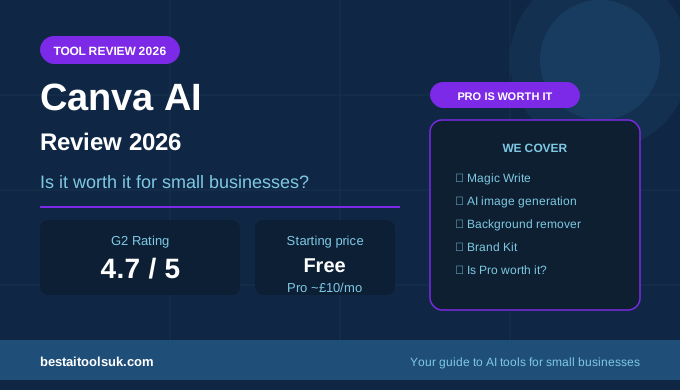
Canva AI at a Glance
G2 rating: 4.7/5 across over four thousand reviews
Starting price: Free — Pro from ~£10/month
Best for: Small business owners who need design and AI writing in one platform
Affiliate programme: Available — apply at canva.com/affiliates
What Is Canva AI?
Canva AI refers to the collection of AI-powered features integrated into the Canva design platform. Rather than being a standalone AI writing or image tool, Canva AI is embedded directly into the design workflow — meaning you can generate copy, create images, remove backgrounds, and resize designs for different platforms without leaving the editor. For small business owners who are already comfortable with Canva, this integration removes the need to switch between multiple tools to complete a single piece of marketing content.
The platform has over 150 million users globally and is particularly popular with small business owners, marketers, and content creators who need to produce professional-looking designs without graphic design expertise. Canva’s AI features build on this foundation by reducing the effort required even further — particularly for tasks like writing social media captions, generating product image backgrounds, and maintaining visual brand consistency. For a broader look at how Canva fits into a complete AI toolkit, see our guide to the best AI tools for small business marketing.
Canva AI Key Features
Magic Write
Magic Write is Canva’s AI text generator, built directly into the design editor. You enter a prompt describing what you want — a product description, a social media caption, an event announcement, a tagline — and Magic Write generates copy within the design canvas without you needing to switch to a separate tool. The output quality is solid for short-form content and captures the intended tone reasonably well from a brief description.
The limitation is the word count ceiling and the free plan restriction. The free plan offers twenty-five lifetime uses of Magic Write — enough to test the feature but not to rely on it regularly. Canva Pro removes this limit and is required for any business that wants to use Magic Write as a genuine productivity tool rather than an occasional supplement. For dedicated AI writing with more template variety and higher output volume, tools like Rytr remain the stronger choice — but Magic Write’s integration directly into the design workflow is a meaningful convenience advantage.
AI Image Generation
Canva’s AI image generation — branded as Text to Image — allows you to generate custom images from a text prompt directly within a design. You describe what you want, choose an art style, and Canva generates four image options you can insert straight into your design. The quality is adequate for social media graphics, blog featured images, and presentation slides — not as detailed or photorealistic as Midjourney or DALL-E, but faster to use for business users who need something functional rather than artistic.
The practical value for small business owners is significant. Generating a custom image for a social media post or blog header that matches your brand colours and style takes under a minute and costs nothing beyond the Canva Pro subscription. For businesses that regularly need unique visuals but do not have the budget for a photographer or a dedicated AI image tool subscription, Canva’s image generation fills a genuine gap. See our guide to the best free AI tools for small businesses for how Canva AI compares against other free options.
Background Remover
The background remover is one of Canva’s most practically useful AI features for small business owners. Upload a product photo, a headshot, or any image with a busy background, and Canva removes it automatically in seconds — producing a clean, transparent image you can place on any background colour or design. What previously required Photoshop skill or a paid service now takes one click.
For ecommerce businesses, this feature alone can justify a Canva Pro subscription. Professional-quality product images with clean backgrounds convert significantly better than cluttered originals, and the ability to produce them without photography expertise or additional software saves both time and money. G2 reviewers consistently highlight background removal as one of the most-used features in their Canva workflow.
Magic Design and Brand Kit
Magic Design generates complete design templates from a single image or text prompt — useful for business owners who need a starting point for a flyer, social post, or presentation without spending time on layout. The results are not always perfectly suited to your specific needs but provide a strong foundation that is faster to edit than building from scratch.
The Brand Kit is one of Canva Pro’s most valuable features for small businesses with established branding. Upload your logo, set your brand colours and fonts, and Canva applies them consistently across every design you create. For businesses that struggle to maintain visual consistency across social media, email, and print materials, the Brand Kit solves this problem automatically. See our best AI writing tools for small businesses guide for how Canva’s AI features complement a broader AI toolkit.
Canva AI Pricing
| Plan | Price | AI Features Included |
| Free | £0/month | Magic Write (25 lifetime uses), basic AI tools |
| Canva Pro | ~£10/month | Magic Write unlimited, AI image generation, background remover, Brand Kit |
| Canva Teams | ~£13/month per user | All Pro features plus team collaboration and admin controls |
The free plan is genuinely useful for occasional use — twenty-five Magic Write credits is enough to test the feature and the basic design tools are comprehensive. For any business using Canva regularly, the Pro plan at approximately ten pounds per month is strong value given the breadth of features it unlocks. The AI features alone — unlimited Magic Write, image generation, and background removal — represent meaningful time savings that most small businesses will recoup quickly.
Canva AI Pros and Cons
| Pros | Cons |
| ✓ Free plan is genuinely useful for most small businesses | ✕ Magic Write word limits are restrictive on the free plan |
| ✓ Magic Write produces solid short-form copy quickly | ✕ AI writing quality does not match dedicated tools like Rytr or Jasper |
| ✓ AI image generation integrated directly into design workflow | ✕ AI image generation less powerful than Midjourney or DALL-E |
| ✓ Background remover saves hours on product photography | ✕ Canva Pro required to unlock the most useful AI features |
| ✓ Brand Kit keeps visual identity consistent across all designs | ✕ Not a replacement for a dedicated AI writing tool |
| ✓ Familiar interface — no learning curve for existing Canva users | ✕ Limited SEO or long-form content capabilities |
| ✓ Covers design and writing in one platform |
Who Is Canva AI Best For?
Canva AI is best suited to small business owners who already use Canva for design work and want to extend its capabilities with AI without adding another subscription or tool to their stack. It is particularly strong for businesses that produce regular social media content, email marketing graphics, and printed marketing materials — and need to do so quickly, consistently, and without professional design skills.
It is less suited to businesses whose primary AI need is long-form blog content or SEO optimisation — for those use cases, dedicated tools like Frase or Koala AI are significantly more capable. See our Frase review and our Koala AI review for the strongest options if SEO content is your priority. Canva AI works best as part of a broader toolkit rather than as a standalone AI solution.
How Does Canva AI Compare to Other AI Tools?
Compared to dedicated AI writing tools, Canva AI’s Magic Write is more limited in output volume and template variety. Rytr at six pounds per month offers forty-plus templates, unlimited short-form generation, and a free plan with ten thousand characters per month — significantly more writing capability than Canva Pro’s Magic Write. See our Rytr review for the full breakdown of what a dedicated AI writing tool delivers at a comparable price point.
Compared to dedicated AI image tools, Canva’s Text to Image feature is more accessible but less powerful. Midjourney produces significantly more detailed and artistic results for users who need high-quality AI imagery. However, for small business owners who need functional images integrated directly into marketing designs rather than standalone artistic outputs, Canva’s integrated approach is often more practical. For a broader comparison of AI tools for business, see our guide to the best AI tools for freelancers.
Is Canva AI Worth It for Small Businesses?
Yes — with the right expectations. Canva AI is worth it for small business owners who already use Canva regularly and want to reduce the time spent on design and short-form copy production. The Pro plan at ten pounds per month is strong value when you consider the full feature set — unlimited Magic Write, AI image generation, background removal, Brand Kit, and access to Canva’s full premium template library.
It is not worth it as a replacement for dedicated AI writing or SEO tools. If your primary goal is producing blog content that ranks on Google, tools like Frase or Koala AI deliver far more relevant capability for a similar monthly cost. The strongest approach for most small businesses is to use Canva Pro for design and visual content alongside a dedicated AI writing tool for text-heavy work. See our guide to the best AI writing tools for small businesses on a budget for how to build an effective AI toolkit without overspending.
The Honest Verdict
Canva AI earns its four point seven out of five G2 rating. The AI features are genuinely useful, well integrated into the design workflow, and accessible to business owners with no technical background. Magic Write handles short-form copy competently, the background remover is one of the most practically valuable AI features available at this price point, and the Brand Kit solves a real consistency problem for growing businesses.
The verdict is simple: if you use Canva already, upgrading to Pro for the AI features is an easy decision at ten pounds per month. If you do not currently use Canva, it is worth starting with the free plan to test whether the design-first approach fits your workflow before committing to Pro. Get started with Canva AI free here and see how much time it saves on your next piece of marketing content.
⭐ Try Canva AI free — no credit card required: Get started with Canva AI free here
Published on bestaitoolsuk.com — Your trusted guide to AI tools for small businesses