How to Use AI for Social Media Marketing in 2026: The Small Business Guide
A practical guide to using AI tools to create content, plan your strategy, and maintain a consistent social media presence — without spending hours every week
This article contains affiliate links. If you purchase through these links, we may earn a commission at no extra cost to you. This does not affect our assessment — we only recommend tools we genuinely believe deliver value.
How to use AI for social media marketing is one of the most commercially valuable questions a small business owner can ask in 2026. Social media is where your prospective customers spend their time — and maintaining a consistent, professional presence across the platforms that matter to your business is one of the most effective ways to build awareness, trust, and inbound enquiries without a large advertising budget. The problem for most small business owners is not understanding the value of social media — it is finding the time to execute consistently while running a business.
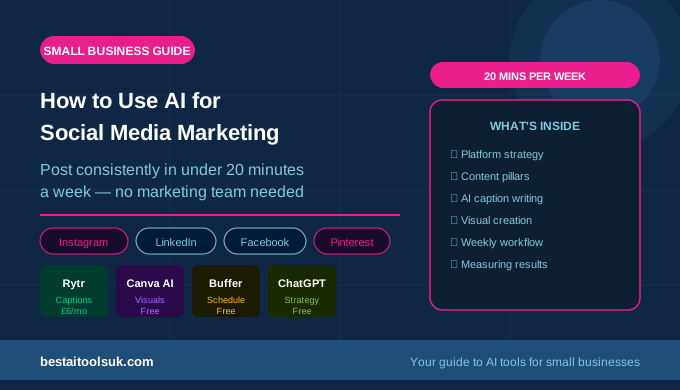
AI tools have transformed what is achievable for solo business owners and small teams with limited time. The combination of AI writing tools for caption and copy production and AI design tools for visual content creation means a small business owner can now maintain a professional, consistent social media presence in under two hours per week — a fraction of the time manual content creation requires. This guide covers everything you need to build and maintain an effective social media presence using AI tools, from platform strategy through to weekly workflow. For the complete overview of AI social media tools available, see our guide to the best AI social media tools for small businesses.
Which Social Media Platforms Should Your Business Focus On?
The biggest mistake small business owners make with social media is trying to be everywhere at once. Spreading limited time and content across six platforms means producing mediocre content on all of them rather than excellent content on the two or three that actually matter for your business. The right answer depends on your customer — where they spend their time, what they respond to, and what content format fits your business naturally.
| Platform | Best For | Post Frequency | AI Tool |
| Visual products, lifestyle, B2C brands | 4–5x per week | Rytr + Canva AI | |
| Local businesses, older demographics | 3–4x per week | Rytr | |
| B2B, professional services, consultants | 3x per week | Rytr | |
| Twitter/X | News, commentary, quick updates | Daily | Rytr |
| Products, recipes, tutorials, design | 5–10 pins/week | Canva AI | |
| TikTok | Short video, younger audience, B2C | 3–5x per week | Canva AI |
For most small businesses, the right starting point is one or two platforms where your target customers are most active, executed consistently and well, rather than a presence across every platform managed poorly. Once you have built a consistent system on your primary platforms, AI tools make expanding to additional platforms straightforward. For the platform-specific guidance on writing content that performs, see our guide on how to use AI to write social media posts for the exact prompting approaches that work best on each platform.
Building Your AI-Assisted Social Media Strategy
Define Your Content Pillars
Content pillars are the three to five topics your business posts about consistently. They should reflect your expertise, appeal to your target customers, and be broad enough to generate regular content without running out of ideas. A solicitors firm might have pillars of: legal tips for small businesses, client success stories, team updates, and industry news commentary. A personal trainer might have pillars of: training tips, nutrition advice, client transformations, and motivational content.
Defining your content pillars before using AI tools makes the entire content production process faster and more consistent. When you open Rytr to write a week of social media posts, having three clear pillars means you already know what each post is about — you are simply asking AI to help with the writing, not the strategy. For the approach that works best for professional services businesses in particular, see our guide to how to use AI to write LinkedIn posts for the pillar-based content system that applies directly to LinkedIn and transfers easily to other platforms.
Plan Your Content Calendar
A content calendar is a simple weekly or monthly plan that maps which content pillar each post covers and which day it goes out. It does not need to be sophisticated — a basic spreadsheet or even a handwritten list works. The purpose is to remove the daily decision about what to post, which is the friction that causes most small business social media strategies to break down.
With a content calendar and defined pillars, your weekly social media workflow becomes: on Monday, spend twenty minutes producing the week’s posts using Rytr, schedule them using Buffer or a similar tool, and check the metrics from last week. That is the entire weekly commitment for a business posting three to five times per week. For the scheduling tools that make this workflow possible, see our guide to the best AI social media tools for small businesses for the full comparison of scheduling options.
How to Use AI to Create Social Media Content
Writing Captions and Copy with Rytr
Rytr is the strongest AI tool for social media caption and copy production. The dedicated social media templates — covering Instagram captions, Facebook posts, LinkedIn posts, Twitter posts, and Pinterest descriptions — produce well-structured content in the format each platform rewards. The key to getting strong output is providing specific inputs: the content pillar, the specific point or story behind the post, the tone (professional, conversational, motivational), and any call to action required.
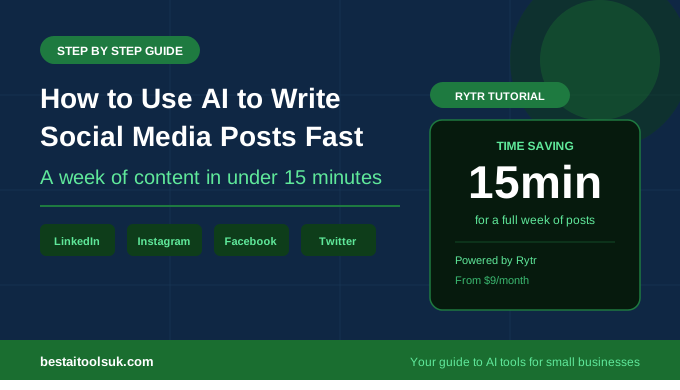
A typical weekly session with Rytr produces five to seven posts across platforms in fifteen to twenty minutes. Generate three variations of each post, select the strongest, make any edits for voice and specificity, and move on to the next. The editing step — which typically takes thirty seconds per post — is what makes AI-produced content feel authentic rather than generic. See our full Rytr review for the complete breakdown of what Rytr can produce and how to get the best results from each template.
Creating Visuals with Canva AI
Canva AI is the strongest tool for producing the visual content that accompanies your captions. The AI-powered design templates produce professional-looking graphics for every platform — sized correctly for Instagram square posts, Instagram Stories, Facebook covers, LinkedIn banners, and Pinterest pins — without requiring design skills. The Brand Kit feature stores your business colours, fonts, and logo for instant application to every design, ensuring visual consistency across all platforms and over time.
The Magic Write feature within Canva generates short caption copy directly within the design editor, which is useful for content where the visual and textual elements need to be developed together — promotional graphics, event announcements, and product showcases. For businesses that produce regular video content, Canva’s video tools produce short-form video graphics and animated posts suitable for Instagram Reels and TikTok. See our Canva AI review and our comparison of Canva AI vs Adobe Firefly for the full breakdown of Canva’s capabilities versus the main alternative.
Using ChatGPT for Content Ideas and Strategy
ChatGPT is the most flexible AI tool for the strategic layer of social media marketing — generating content ideas, researching trending topics in your industry, drafting content briefs for a month of posts, and analysing what has performed well to inform future content. Rather than using ChatGPT for production, use it as a thinking partner: ‘What are ten social media post ideas for a financial adviser targeting small business owners in 2026?’ or ‘What questions do people commonly ask about [your topic] on social media?’ These prompts generate content angles that Rytr then turns into finished posts. See our guide to ChatGPT for business for the broader application of ChatGPT as a strategic thinking tool.
Platform-Specific AI Strategies
Instagram rewards high-quality visuals and consistent posting. For small businesses, the most effective Instagram strategy combines Canva AI for visual content production and Rytr for caption writing, with posts scheduled three to five times per week. Reels — short video content — consistently reach a larger audience than static posts on Instagram’s current algorithm, and Canva’s video templates make producing simple Reels achievable without video editing skills. For the caption approach that drives the most engagement on Instagram, see our guide on how to use AI to write social media posts for the Instagram-specific prompting workflow.
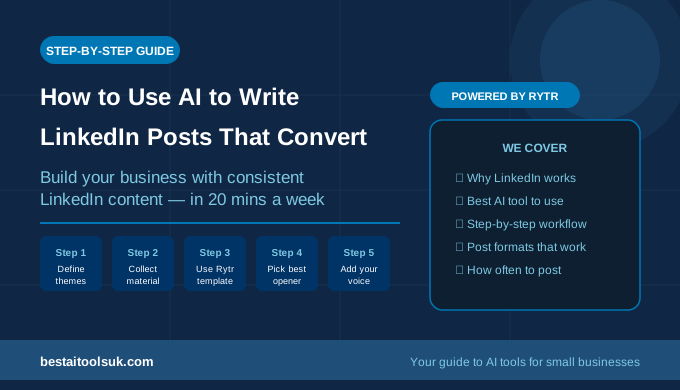
LinkedIn rewards written expertise, consistency, and genuine professional insight. For B2B businesses and professional services firms, LinkedIn is often the highest-value social media channel — the audience is actively looking for professional services, the content has a longer shelf life than other platforms, and a single well-performing post can generate multiple qualified enquiries. Rytr’s LinkedIn template produces the format that LinkedIn’s algorithm rewards — a strong hook, a clear insight, and a call to engage. See our dedicated guide on how to use AI to write LinkedIn posts for the complete LinkedIn content system, including the five-step weekly workflow that takes under twenty minutes.
Facebook remains valuable for local businesses, businesses targeting older demographics, and businesses with active community groups. The algorithm currently rewards content that generates comments and shares rather than passive likes, which means posts that ask questions, invite opinions, or tell stories tend to outperform promotional content. Rytr produces Facebook posts effectively when given a conversational tone instruction and a specific question or story as the starting point. For local service businesses, Facebook’s local community groups are often more valuable than the main feed — and AI tools allow you to produce relevant community content quickly without it consuming disproportionate time.
Pinterest is a search engine as much as a social platform — users actively search for ideas, products, tutorials, and inspiration, which means well-optimised Pinterest content generates traffic for months or years after publication. For e-commerce businesses, recipe brands, interior design, fashion, and any visually-led business, Pinterest is one of the highest-ROI social platforms available. Canva AI produces Pinterest pin graphics efficiently, and Rytr generates the keyword-rich pin descriptions that make pins discoverable in Pinterest search. For the broader approach to visual content marketing, see our guide to the best AI image generators for small businesses for the tools that complement Canva for visual content production.
Measuring What Is Working
AI tools accelerate content production, but the strategy that informs what to produce should be driven by what actually performs with your specific audience. Spend ten minutes per week reviewing the metrics on your previous posts — which generated the most reach, engagement, or link clicks — and use those insights to refine your content pillar emphasis and format choices. Most social media platforms provide this data free within their native analytics.
The most important metric for most small businesses is not likes or followers — it is enquiries and website visits generated from social media. These conversion metrics tell you whether your social media content is reaching the right people and motivating them to take action, which is the only measure that matters commercially. For the broader approach to driving business results from content marketing, see our guide to the best AI SEO tools for small businesses for how social media content and SEO content work together to drive consistent inbound traffic.
The Weekly AI Social Media Workflow
The most effective approach for a small business owner is to batch-produce a week of social media content in a single session rather than creating posts day by day. Here is the workflow that takes under twenty minutes per week for a business posting five times per week across two platforms:
Monday morning: open Rytr, select your platform templates, and produce five post drafts across your three content pillars — two posts on the first pillar, two on the second, one on the third. Edit each for voice and specificity (thirty seconds each). Then open Canva AI and produce visuals for the two or three posts that need graphics (three minutes each). Schedule all five posts using Buffer or your scheduling tool of choice. Review last week’s metrics briefly and note which post type performed best. Total time: fifteen to twenty minutes.
This workflow is sustainable because it is bounded — it has a clear end point, a predictable time commitment, and produces a visible output. The small business owners who maintain consistent social media presence long-term are not those with the most time — they are those who have built a system that fits into their week reliably. AI tools are what make the content production fast enough to fit. See our guide on how to save time using ai writing tools for the broader approach to building AI-assisted workflows across your business.
The Honest Verdict
AI tools have genuinely solved the time problem that prevents most small business owners from maintaining a consistent, professional social media presence. Rytr for caption and copy production, Canva AI for visual content, and a basic scheduling tool for distribution — combined with a clear content pillar strategy — is all you need to produce professional social media content consistently in under twenty minutes per week.
The businesses that get the best results from AI-assisted social media are those that invest time in the strategy — defining their content pillars, understanding which platforms their customers use, and reviewing what actually drives enquiries — and then use AI to handle the content production that executes that strategy efficiently. The strategic thinking remains yours; the time-consuming production work is handled by AI. Try Rytr free here for social media captions and copy, and Canva AI for the visuals — both have free plans that let you build your first week of content before committing to any subscription.
⭐ Try Rytr free — write a week of social media posts in under 20 minutes: Try Rytr free here⭐ Try Canva AI free — create professional social media visuals for any platform: Try Canva AI free here
Published on bestaitoolsuk.com — Your trusted guide to AI tools for small businesses