Rytr Free Plan Review 2026: Is It Worth It for Small Businesses?
An honest Rytr free plan review covering exactly what you get, the real limitations, and whether upgrading is worth it
This article contains affiliate links. If you purchase through these links, we may earn a commission at no extra cost to you.
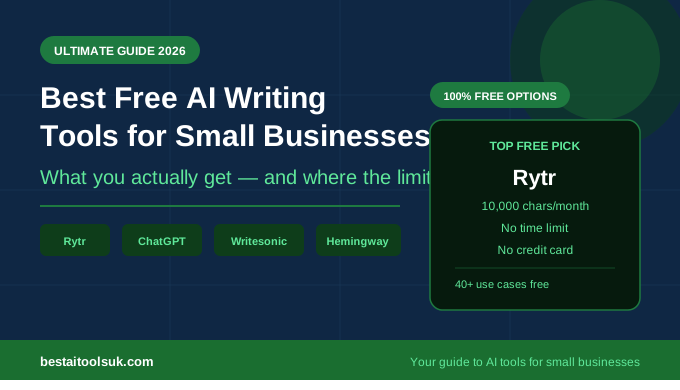
Rytr free plan review — here is the honest truth: most AI writing tools that offer a free tier are either time-limited trials dressed up as generosity, or they give you so little that you cannot actually test whether the tool works for your business. Rytr is genuinely different. The free plan has no time limit, no credit card required, and gives you enough to properly put the tool through its paces before spending a penny.
That said, 10,000 characters per month is not a lot. If you are running a busy small business and you take to Rytr quickly, you will burn through that allowance faster than you expect. The question this review answers is whether the free plan is worth starting with, what you can actually do with it, and at what point upgrading to the paid plan makes sense. For the full breakdown of every Rytr plan see our complete Rytr review.
Rytr Free Plan Review: What Do You Actually Get?
The free plan gives you the full Rytr platform with one catch — 10,000 characters per month. That sounds like a reasonable amount until you realise that a single medium-length email sequence or a couple of social media posts can eat through a few hundred characters each. Here is exactly what is included:
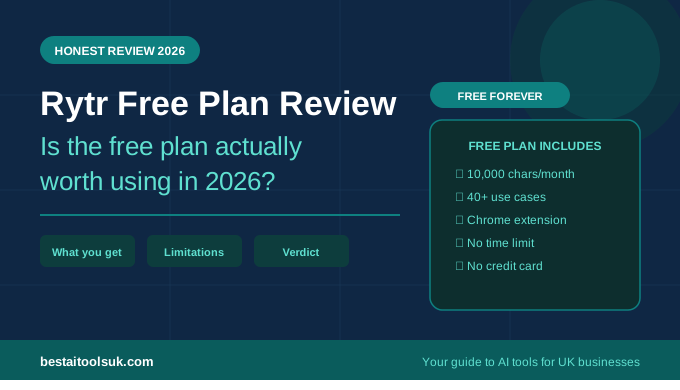
- 10,000 characters per month — roughly 1,500 to 2,000 words depending on content type
- All 40 plus use cases — emails, blog content, social media, proposals, product descriptions and more
- All 20 tone of voice options — from formal boardroom to casual Instagram
- Content in over 30 languages
- The Chrome extension — this is genuinely useful, lets you use Rytr directly inside Gmail
- Two variations generated per request so you can pick the stronger one
What you miss out on is the plagiarism checker — that is a Saver plan feature. For most small businesses writing emails and social content this does not matter much, but if you are publishing blog posts you will want it. There is also no custom use case on the free plan, which is only relevant once you have specific repeatable writing tasks you want to automate.
Is 10,000 Characters Per Month Enough?
Honestly, no — not if you are going to use Rytr properly. But that is not the point of the free plan. The point is to test it enough to know whether it is worth paying for, and 10,000 characters is enough to do exactly that.
To give you a practical sense of what 10,000 characters buys you:
- Six to eight standard business emails — enough to test the email use cases properly
- A week’s worth of social media captions — Instagram, LinkedIn and Facebook combined
- Two or three blog post outlines or introductions
- One short complete blog post of around 600 words
- A full business proposal introduction and solution section
Most small business owners who try the free plan with genuine intent — actually using it for their real writing tasks rather than just clicking around — know within three or four days whether Rytr is going to save them meaningful time. That is what the free plan is for. If it does not save you time in those first few days, upgrading would be a waste of money. If it does, the Saver plan at $9 per month is a straightforward decision.
Rytr Free vs Saver vs Unlimited: Full Comparison
| Feature | Free Plan | Saver Plan | Unlimited Plan |
| Price | Free forever | $9/month | $29/month |
| Characters/month | 10,000 | 100,000 | Unlimited |
| Use cases | 40+ | 40+ | 40+ plus custom |
| Tone options | 20 | 20 | 20 |
| Plagiarism checker | No | Yes | Yes |
| Chrome extension | Yes | Yes | Yes |
| Languages | 30+ | 30+ | 30+ |
| Account manager | No | No | Yes |
What Can You Actually Do With the Rytr Free Plan?
Business Emails
This is where the free plan genuinely earns its keep. Writing a proposal follow-up, a new client introduction, or a tricky complaint response used to take 15 to 20 minutes. With Rytr, you enter a brief, pick your tone, and have two solid draft options in about 30 seconds. You still need to edit and personalise — the AI does not know your client — but the blank page problem disappears completely. See our step by step guide on how to use Rytr to write emails faster for the full workflow.
Business Proposals
A full proposal will eat most of your monthly allowance on the free plan, but testing the executive summary and solution sections is very doable. The quality of Rytr’s proposal output is genuinely impressive for a $9 tool — it structures arguments clearly and hits the right professional tone without sounding like a template. See our guide on how to write a business proposal using Rytr for the complete process.
Social Media Content
Social captions are the most efficient use of the free plan allowance. Individual captions use very few characters so you can generate a week of LinkedIn posts, Instagram captions, and Facebook updates and barely dent your monthly limit. If you currently write social content manually and spend 30 minutes per week on it, Rytr will cut that to about five minutes. That alone tends to convince most people to upgrade.
Blog Post Outlines and Introductions
You get two or three blog outlines within the free plan. That is enough to judge whether Rytr’s blog content is good enough for your site. The outlines are solid — well-structured with logical subheadings — but the full article generation really needs the Saver plan to be practical.
The Honest Limitations
The character limit is the only real limitation and it bites quickly. Most people hit their 10,000 characters within the first week if they are using Rytr as intended. This is not a complaint about Rytr — it is just the economics of a free tier. They need to give you enough to fall in love with the tool but not enough to never pay for it.
The missing plagiarism checker matters if you are publishing blog content. Running AI-generated text without a plagiarism check before publishing is a risk not worth taking, so if blogging is your primary use case, budget for the Saver plan from the start.
Who Should Start With the Rytr Free Plan?
- Anyone who wants to test AI writing tools before committing to a subscription
- Small business owners who are sceptical and want proof before paying
- Freelancers who want to test specific use cases like proposals or email sequences
- Anyone new to AI tools who wants to learn the platform before going paid
When Should You Upgrade to the Saver Plan?
The honest answer is: the moment you use up your free allowance and wish you had more. That is the clearest possible signal that Rytr is delivering value for your business. The Saver plan at $9 per month — about £7 in the UK — gives you 100,000 characters which is enough for most small businesses to use Rytr heavily throughout the month without ever hitting a limit.
The plagiarism checker that comes with the Saver plan is worth calling out separately. For anyone publishing blog content, it is not optional — you need to verify your output before it goes live. That alone justifies the upgrade for content-focused businesses.
If you try the free plan and find yourself rationing your character allowance — writing shorter briefs, avoiding certain use cases to save characters — that is the clearest sign the Saver plan would pay for itself immediately. See our best AI writing tools for small businesses guide to see how Rytr compares against every alternative before you decide.
⭐ Start with Rytr free today — no credit card, no time limit. If it saves you time in the first week, upgrading is a no-brainer. Try Rytr free here → rytr.me Already convinced? The Rytr Saver plan at $9/month gives you 100,000 characters and the plagiarism checker. Start your Saver plan here → rytr.me